
Sponsored

How To: Removing the Factory Head Unit ('24 Sport)

OP
OP
Exquisite_Red

Exquisite_Red

Well-Known Member
First Name
Donnie
Joined
Feb 24, 2025
Threads
2
Messages
97
Reaction score
152
Location
Nashville, TN
Car(s)
'24 Nissan Z 6MT
Occupation
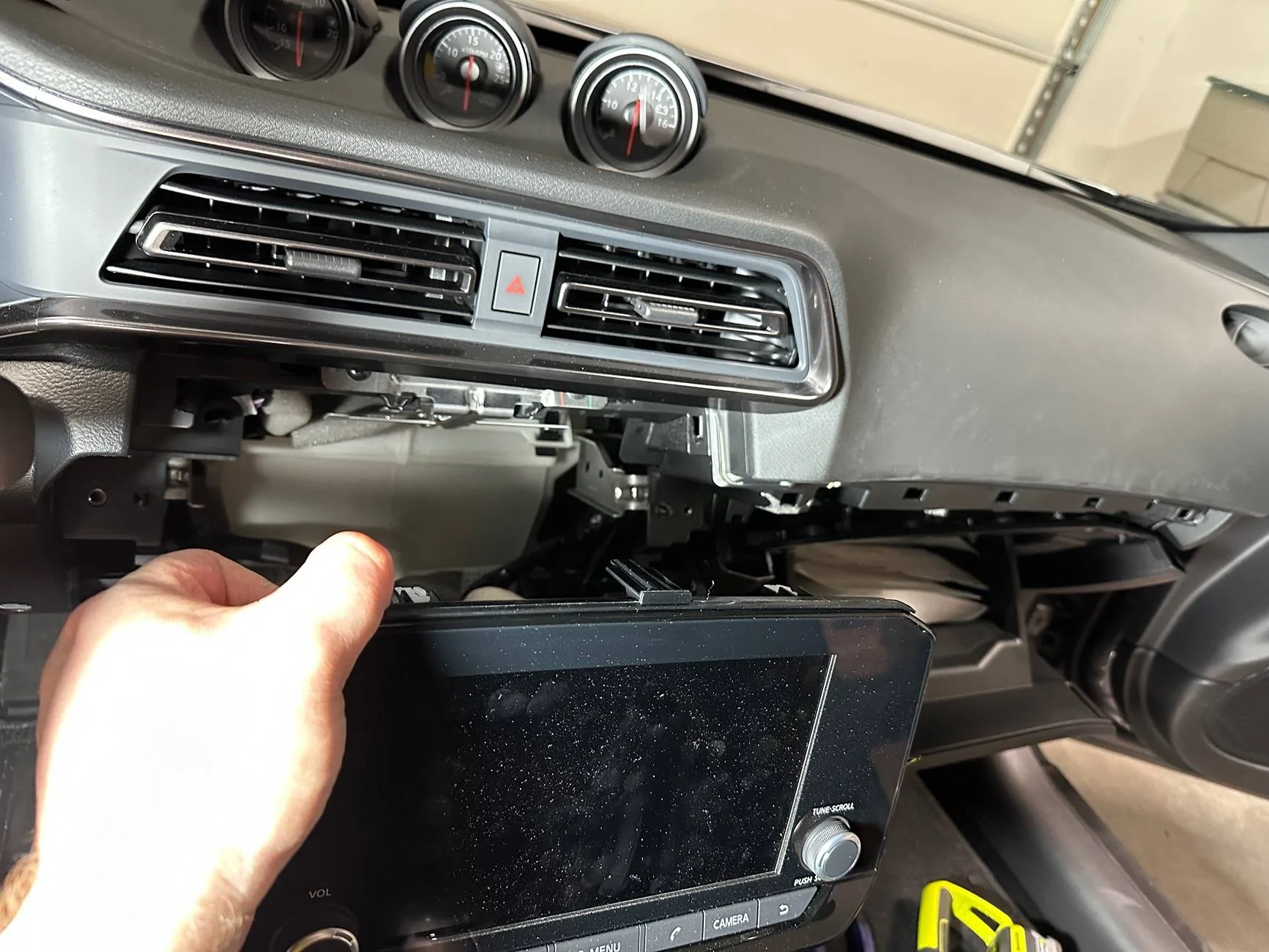
NNA-S Project Manager
Please excuse my ignorance. What's this all about? All I see is the radio being taken out but the same radio going back in??
What am I missing?

Steps 25-27 are the key steps. If you want to run amps/DSP in the Z Sport, you have to pull the head unit to tap into the harness. Performance guys have it much easier; they can just tap in before the Bose amp in the hatch. Anyways, I documented the process of pulling the head unit to help out anyone who may need it since I hadn’t seen it documented anywhere else yet.
 

CPerdomo

Well-Known Member
First Name
Carlos
Joined
Jun 7, 2024
Threads
20
Messages
627
Reaction score
464
Location
Brandon, Fl.
Car(s)
24 Nissan Z Nismo, 2016 Frontier Pro4X
Occupation
Congregational Leader
Steps 25-27 are the key steps. If you want to run amps/DSP in the Z Sport, you have to pull the head unit to tap into the harness. Performance guys have it much easier; they can just tap in before the Bose amp in the hatch. Anyways, I documented the process of pulling the head unit to help out anyone who may need it since I hadn’t seen it documented anywhere else yet.
Thanks for responding.
 

DeepBlue

Member
Joined
Apr 10, 2025
Threads
1
Messages
19
Reaction score
4
Location
Georgia
Car(s)
2024 Nissan Z Sport
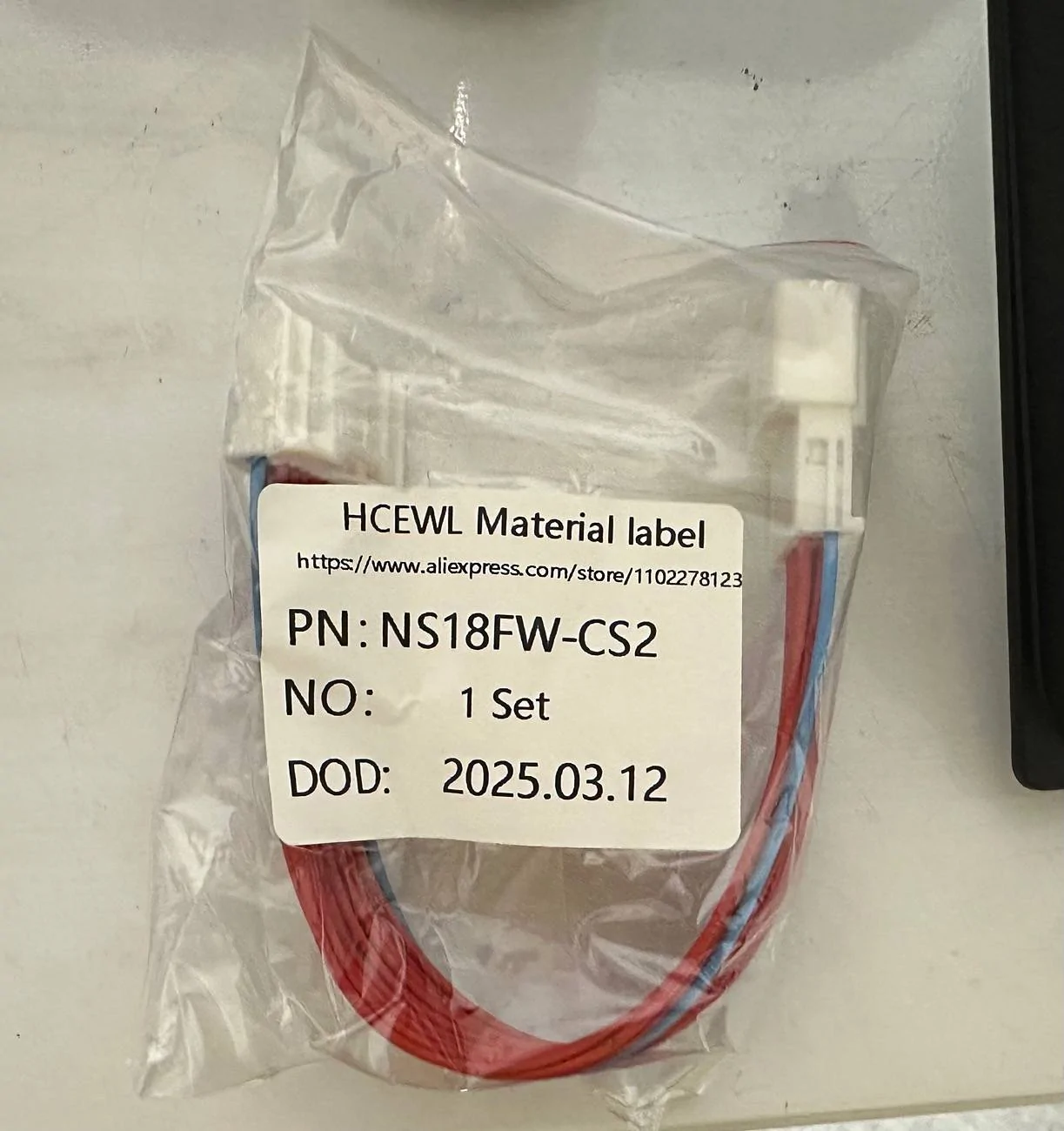
Here is the link to the one I bought: Link

I don’t really trust AliExpress but I was desperate and in a hurry so I chanced it. If you want to try to find something more local, the connector type you’re looking for is an NH18FW-CS2. Make sure you get a harness that’s male on one end and female on the other.
Hey bud, apologies but the link shows what looks like the harness for one second then says not available. I google searched for NH18FW-CS2 but the results coming back don't look right to me. If you have a moment would you be able to share where I could look to find the harness? If not, no issues, I'll try to figure it out lol.
Thanks again
 
OP
OP
Exquisite_Red

Exquisite_Red

Well-Known Member
First Name
Donnie
Joined
Feb 24, 2025
Threads
2
Messages
97
Reaction score
152
Location
Nashville, TN
Car(s)
'24 Nissan Z 6MT
Occupation
NNA-S Project Manager
Hey bud, apologies but the link shows what looks like the harness for one second then says not available. I google searched for NH18FW-CS2 but the results coming back don't look right to me. If you have a moment would you be able to share where I could look to find the harness? If not, no issues, I'll try to figure it out lol.

Thanks again
I’m getting the same result. It was working a couple weeks ago when I posted the link. They must have taken it down for some reason.

I don’t think this connector is unique to the Z. It’s used in other Nissans based on the limited research I did. For example this one on Amazon looks to be the same type of connector, but it already has a bunch of wires tapped into it. You could research something like that to find something that will work for your plan.
 

HAVS

Member
First Name
Lloyd
Joined
Apr 24, 2025
Threads
1
Messages
17
Reaction score
14
Location
Georgia
Car(s)
2024 Z
Occupation
Electrician
I'm going to try this but it looks right. Metra 70-7552 and 71-7552. This should be the male and female radio harness. this makes it simple and is color coded with description of what each wire does. I used many metra parts back in there days of installing car audio. I will give an update when done.
 
OP
OP
Exquisite_Red

Exquisite_Red

Well-Known Member
First Name
Donnie
Joined
Feb 24, 2025
Threads
2
Messages
97
Reaction score
152
Location
Nashville, TN
Car(s)
'24 Nissan Z 6MT
Occupation
NNA-S Project Manager
I'm going to try this but it looks right. Metra 70-7552 and 71-7552. This should be the male and female radio harness. this makes it simple and is color coded with description of what each wire does. I used many metra parts back in there days of installing car audio. I will give an update when done.
Looks like it will work, great find! I would recommend using the pinout from the service manual rather than following Metra’s included description, though. Even just within the different Z trim levels the pinout changes, so I can’t imagine it is consistent between different models. I’m sure the Metra description is right for some Nissan models, but I wouldn’t assume it is correct for the Z.​
 

HAVS

Member
First Name
Lloyd
Joined
Apr 24, 2025
Threads
1
Messages
17
Reaction score
14
Location
Georgia
Car(s)
2024 Z
Occupation
Electrician
Looks like it will work, great find! I would recommend using the pinout from the service manual rather than following Metra’s included description, though. Even just within the different Z trim levels the pinout changes, so I can’t imagine it is consistent between different models. I’m sure the Metra description is right for some Nissan models, but I wouldn’t assume it is correct for the Z.​
I would highly doubt the pin out changing from trim models from my experience. Do you know how much that would cost manufacturers to do that from trim models and other models from that manufacturer in general. Now being a different harness completey from Bose and non bose that is possible. Also I checked pin layout from what was posted and Metra’s and it looks the same. Metra has been around for 40 some years giving harness’s you can trust for your vehicles. I only did car audio for 20 years And I used to know what almost ever car used until canbus came around and my exit into a new career.
but always good to be cautious.
 
OP
OP
Exquisite_Red

Exquisite_Red

Well-Known Member
First Name
Donnie
Joined
Feb 24, 2025
Threads
2
Messages
97
Reaction score
152
Location
Nashville, TN
Car(s)
'24 Nissan Z 6MT
Occupation
NNA-S Project Manager
I would highly doubt the pin out changing from trim models from my experience. Do you know how much that would cost manufacturers to do that from trim models and other models from that manufacturer in general.
I understand your experience may suggest otherwise, but in the case of Nissan, this is 100% objectively incorrect. Good luck to you.
 

HAVS

Member
First Name
Lloyd
Joined
Apr 24, 2025
Threads
1
Messages
17
Reaction score
14
Location
Georgia
Car(s)
2024 Z
Occupation
Electrician
Pin layout was 100% the same as any Metra harness I have ever used. Many other companies make them also but Metra has been my trusted preference.
 

babyzee

Member
First Name
amber
Joined
Jan 15, 2025
Threads
0
Messages
24
Reaction score
30
Location
California
Car(s)
2024 Z
Writing this up because I haven’t seen it documented anywhere and I had to figure out a lot of it on my own. I definitely made some mistakes, so hopefully someone else can learn from me and do an even better job.

Random notes before I dive in:

  • I would only tackle this if you are dead set on implementing DSP and/or amps into your system. If all you want is to add a subwoofer, I would recommend just tapping into the rear speaker outputs with a LOC. It’s not worth tearing into the dash unless you absolutely have to.

  • If you have any interest in changing your dash over to the leather pieces of the Performance model, now would be a great time to do it. You’re gonna be pulling all the pieces off anyways, and you probably don’t want to do this job twice.

  • My planned setup is a D-4.800 DSP amp for the door and dash speakers and a separate monoblock amp for a single sub. I am decommissioning the rear speakers entirely. I am more interested in accurate soundstage than the tiny bit of fill the dinky rear speakers add.

  • The Sport head unit does NOT have individual outputs for the front dash and door speakers; the L/H door and dash speakers are bridged together from a single amp output (same for R/H). If you want to amp or DSP the dash and door speakers independently, you’ll need to run additional wiring. I did not want to mess with running wiring through the door channels, so I chose to use the factory wiring to support the door speakers and then ran new wiring for the dash speakers. It was easy enough to snake the wiring through the dash from the top side and then route it to the amp from there.

  • I am only covering the details of head unit removal below. I am not getting into a lot of the details of my amp wiring or system settings because those will vary greatly from setup to setup. I’ll probably share my end results once I have everything finalized and tuned, but your specific wiring/amp/DSP setup will vary depending on your goals.


Alright, let’s get to it…

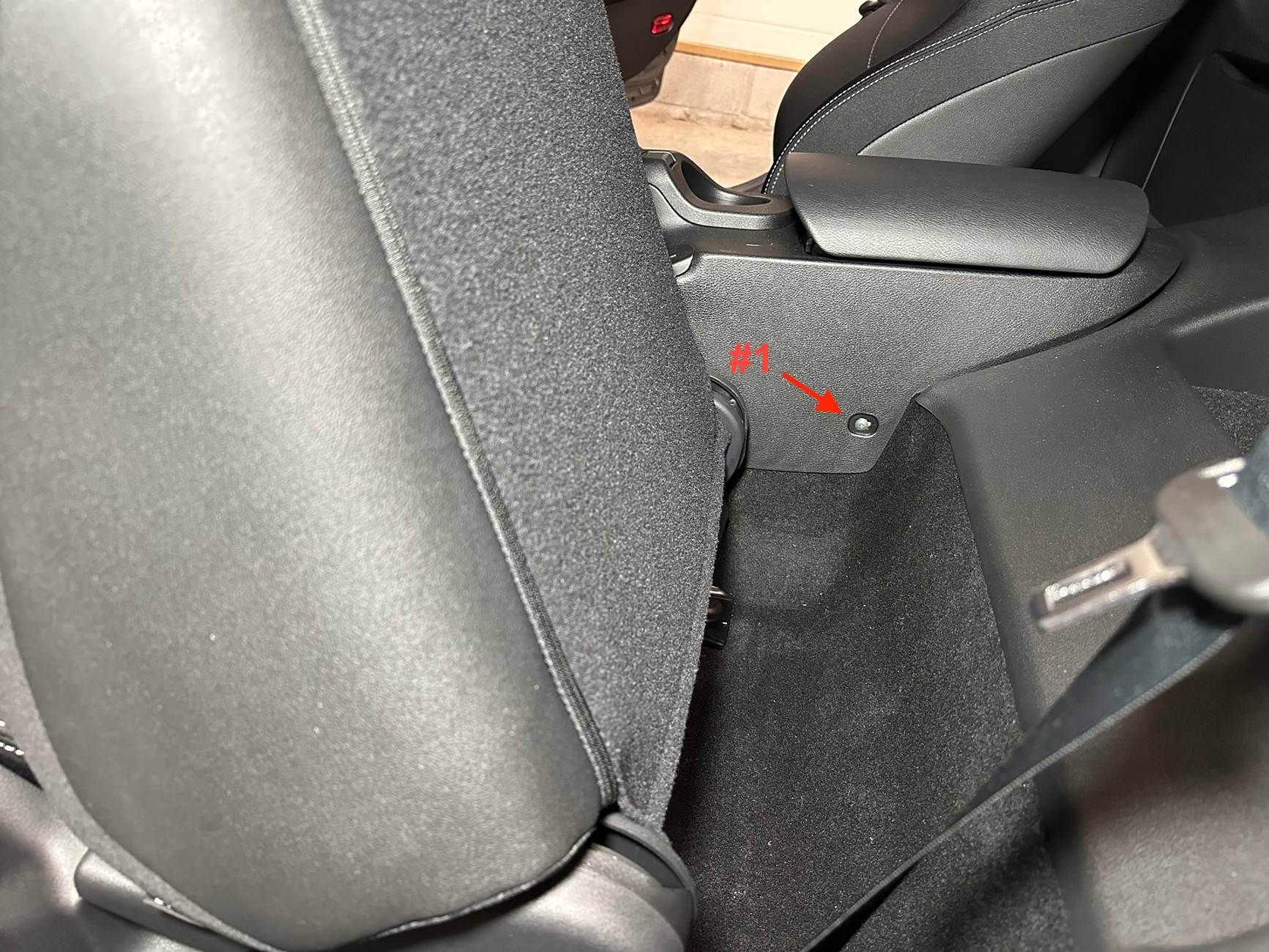
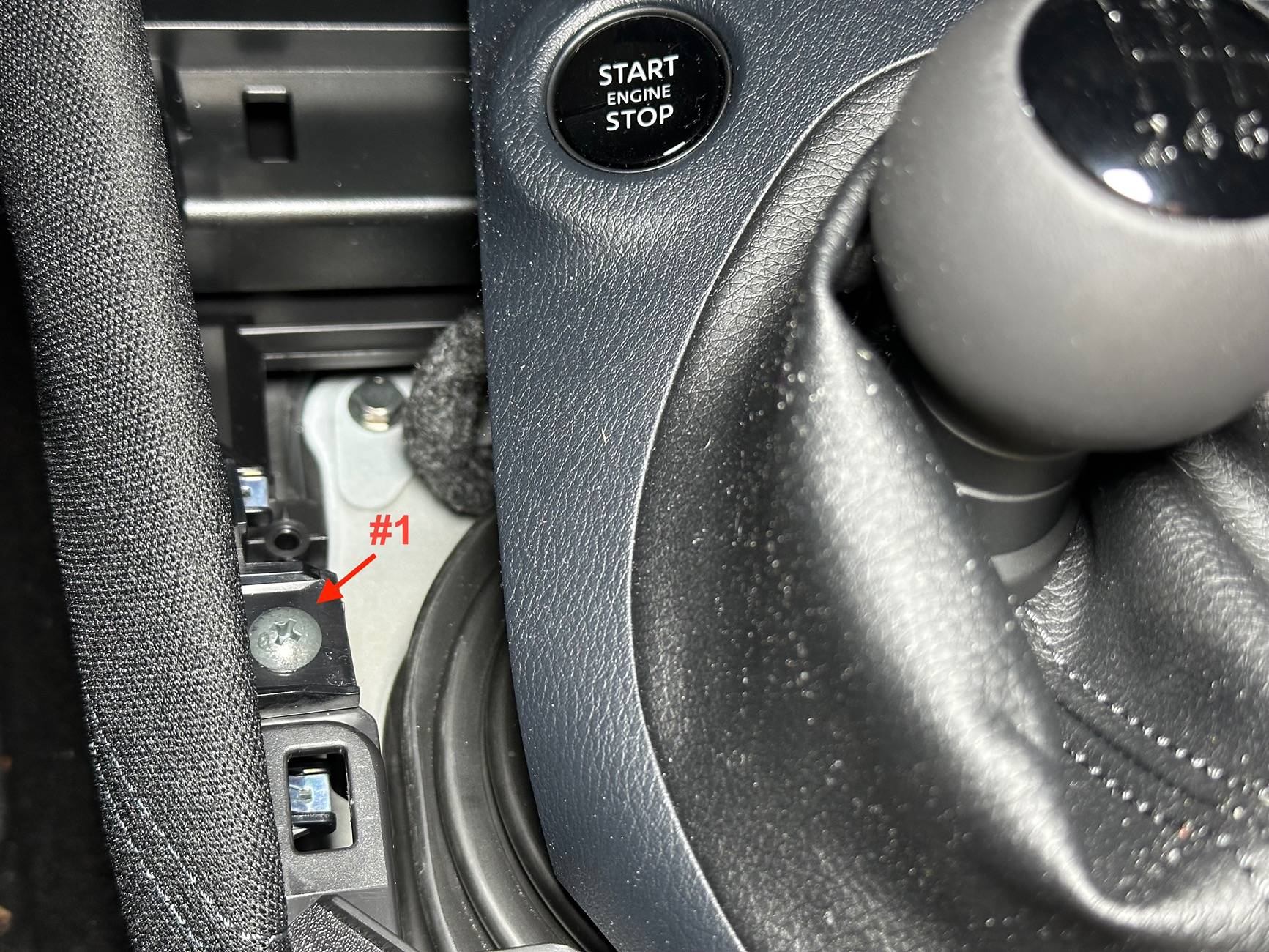
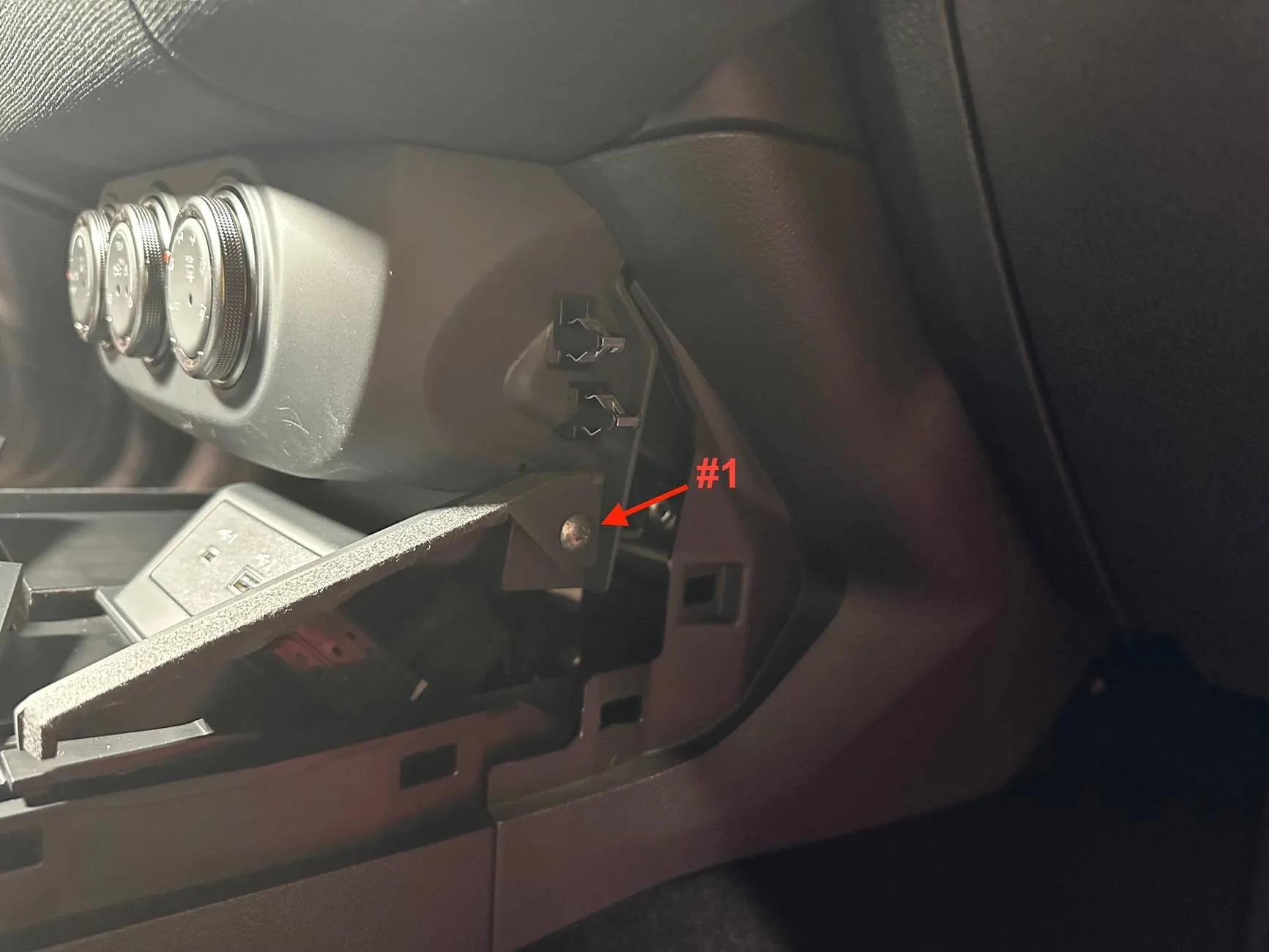
1. Slide the seats forward and remove the screws (#1) on either side of the center console (driver side pictured). This isn’t 100% necessary to remove the head unit, but it you plan on running any wiring to the rear as part of the process, this will give you a little more wiggle room.


tempImagebgJU28.jpg


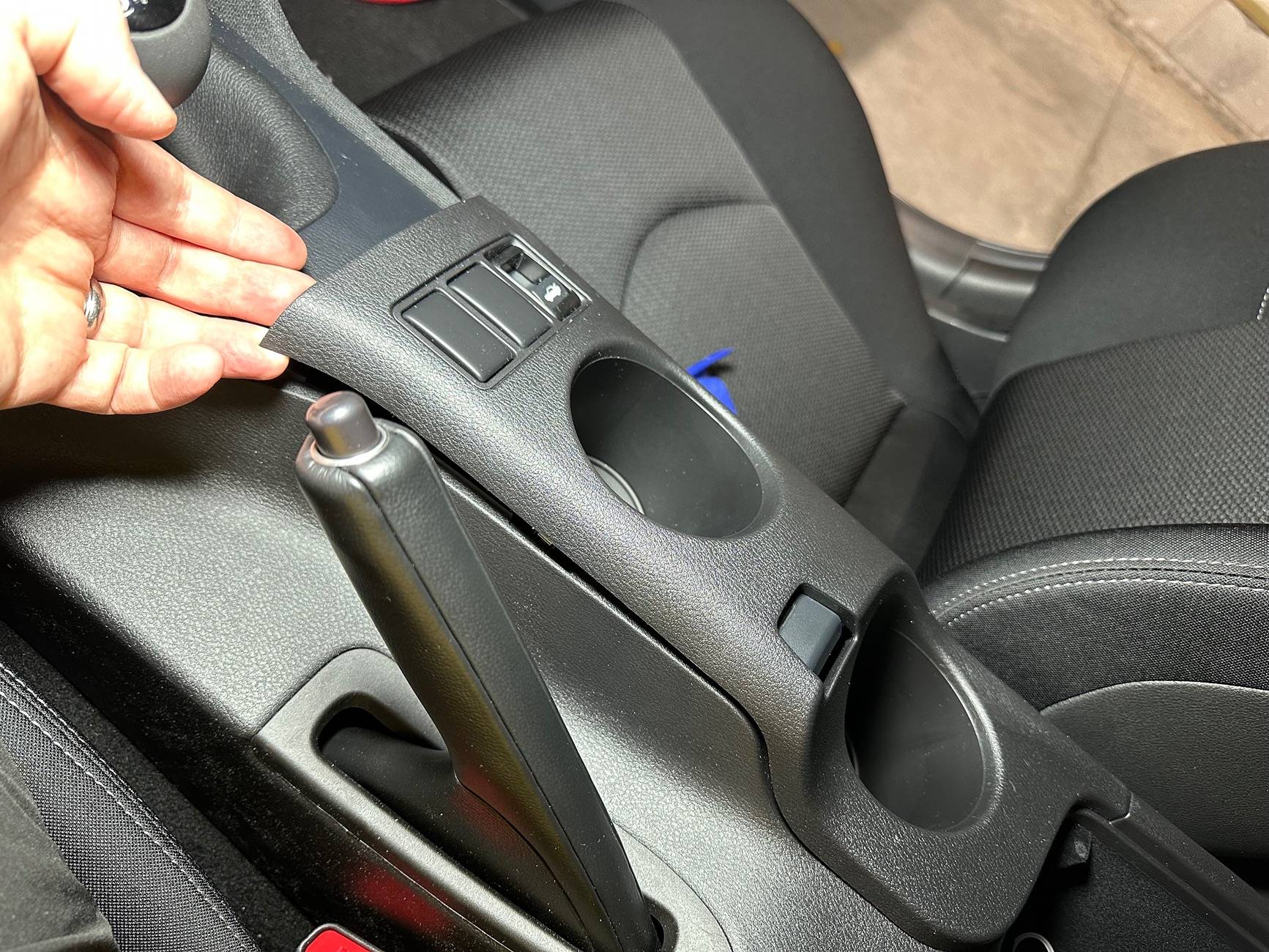
2. Remove the cup holder assembly by lifting straight up to disengage the clips. I found that it was easier to start at the front and work towards the rear.


tempImageOoFWTa.jpg


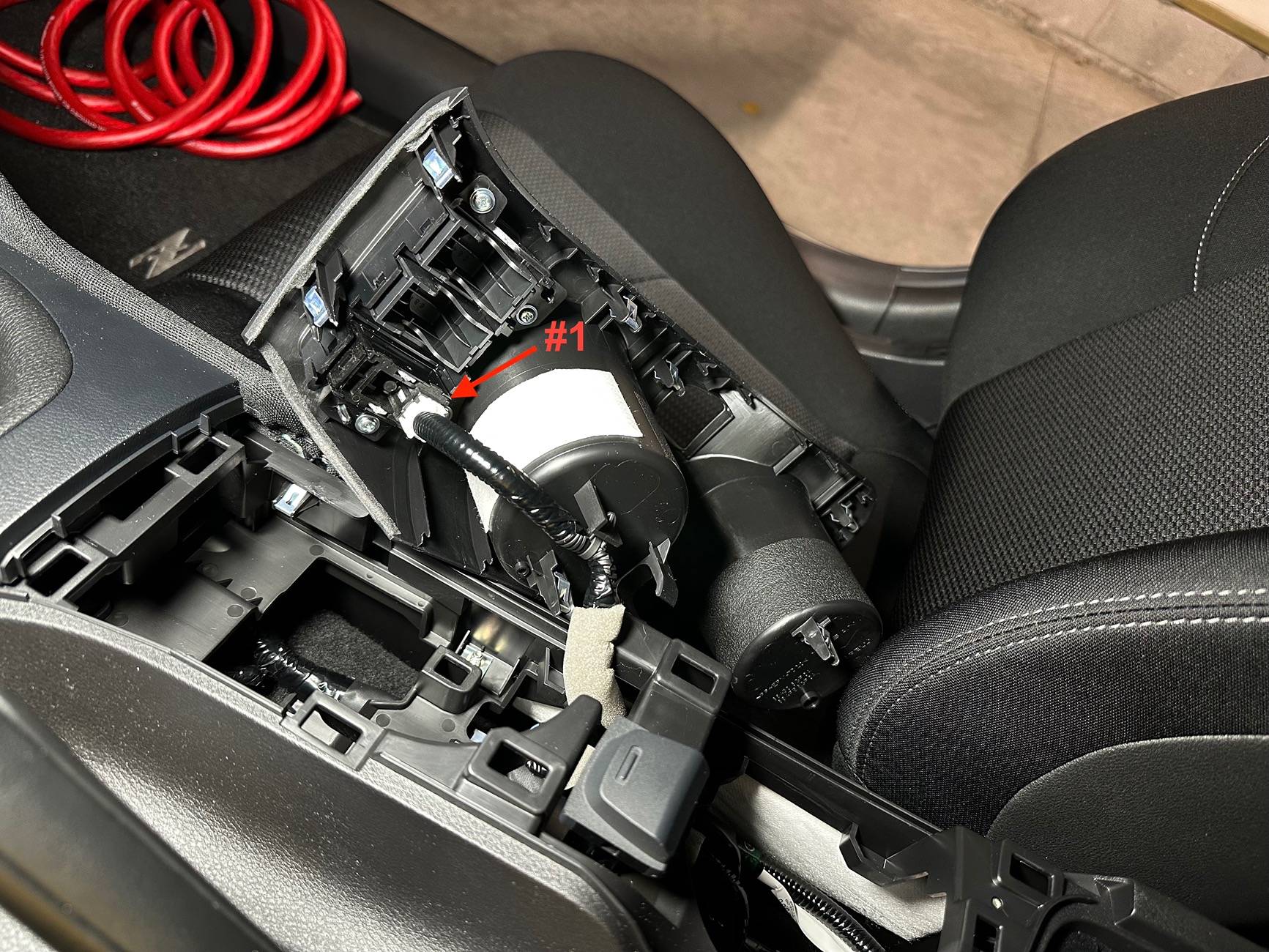
3. Disconnect the plug for the trunk release (#1) and set the cup holder assembly aside.


tempImagellMYuT.jpg


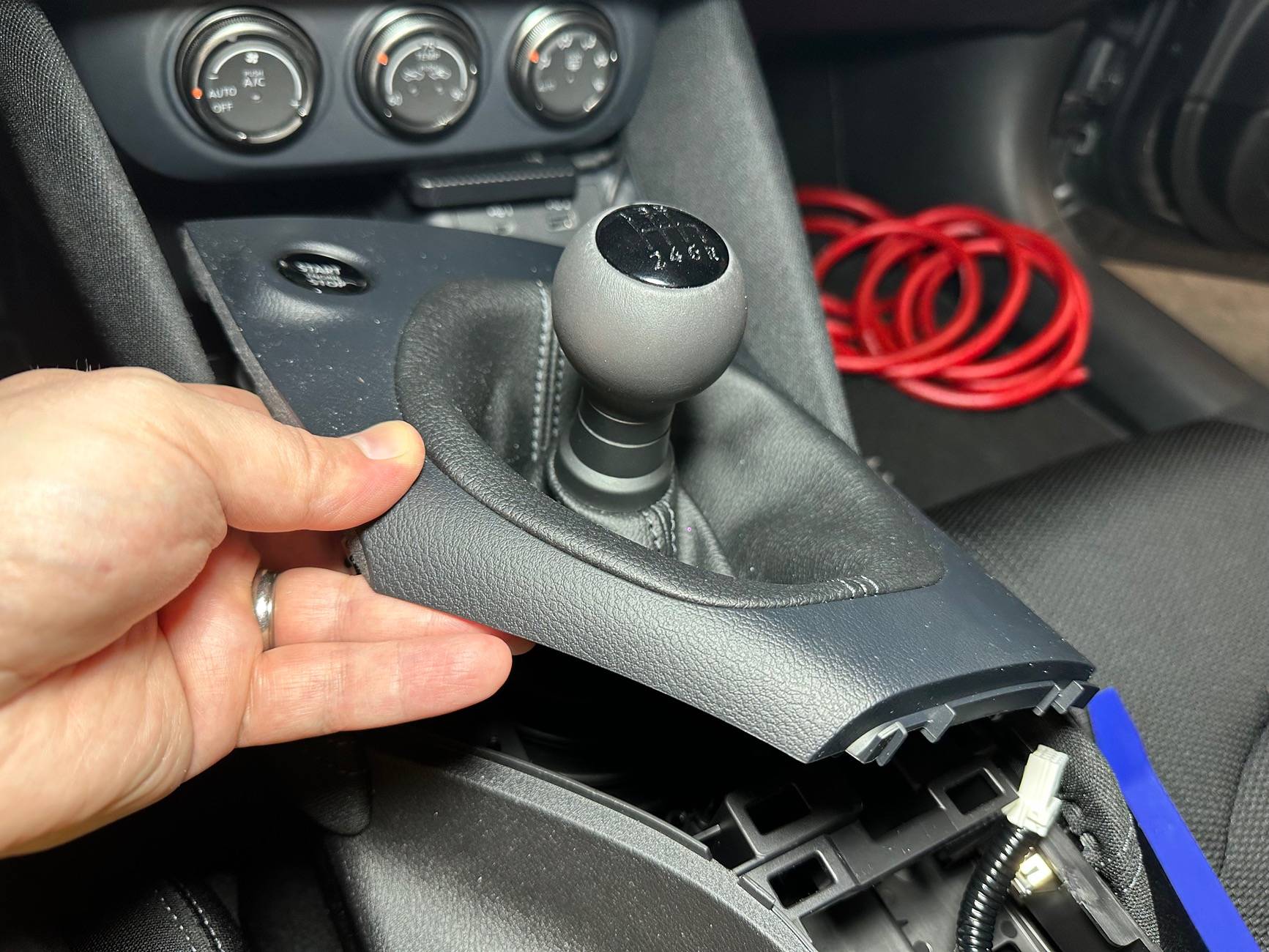
4. Remove the shifter finisher by lifting straight up to disengage the clips. Start from the front and work towards the rear, alternating clip release from left to right (you don’t want to pull up on one side more than the other or you could stress the piece). I chose not to fully remove this piece because I didn’t want to deal with disconnecting the boot from the finisher; I just let it dangle for the rest of the job. You can complete the rest of the job by pulling the shifter finisher to the side, but it can get annoyingly in the way at times.


tempImageESpXh3.jpg


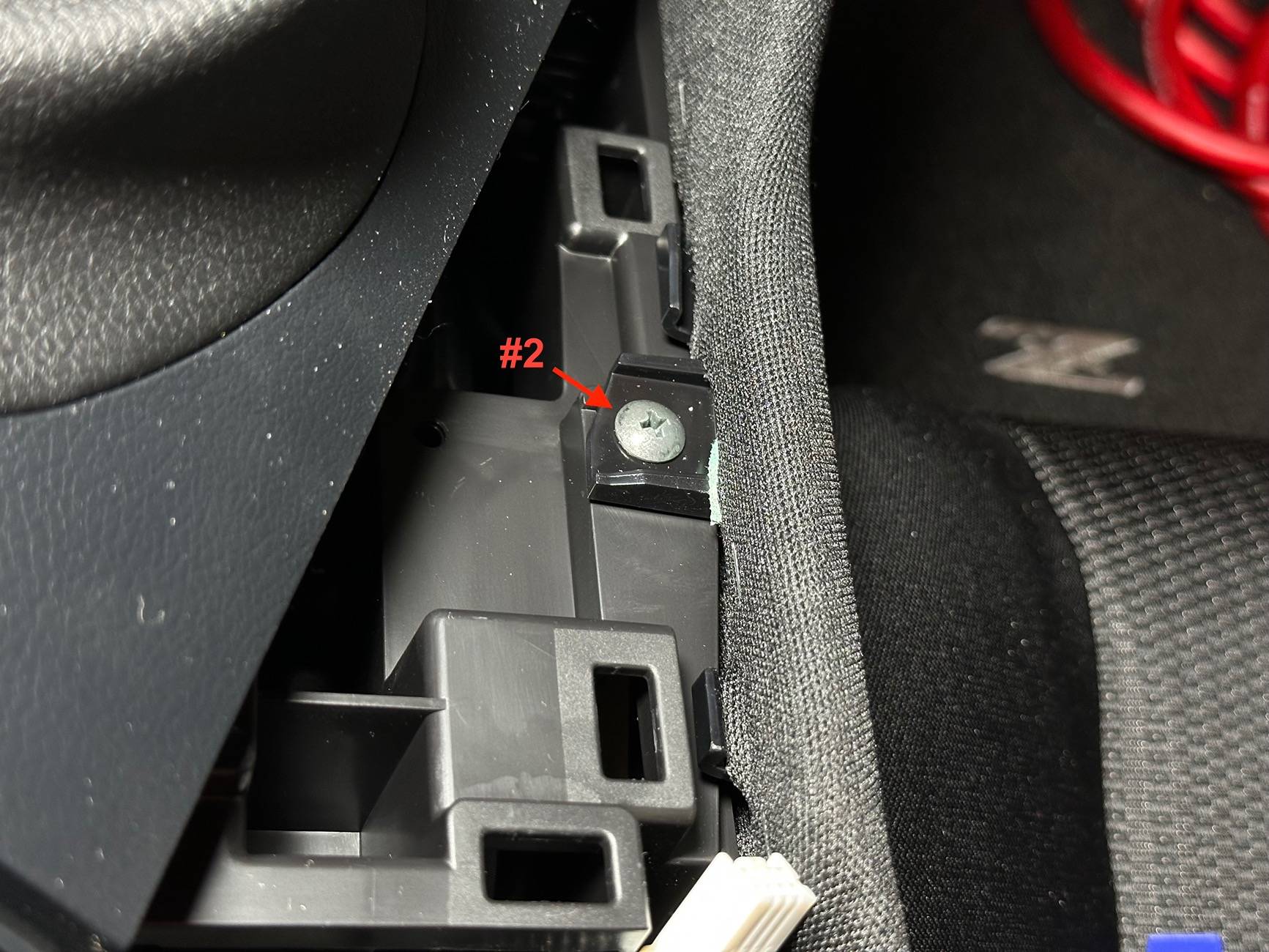
5. Remove the two screws for the two knee pads (#1 & #2).


tempImageYJ5Bi7.jpg


tempImageR2Oktf.jpg


6. Remove the knee pads by pulling straight out from the center console to disengage the clips (driver side pictured). Set the knee pads aside.


tempImagexP7FuR.jpg


7. Remove the mounting screw (#1) from the USB finisher.


tempImageulNiVO.jpg


8. Pull the USB finisher straight out from the console to disengage the clips. This is a little bit of a pain because there’s not a good pry point or a way to get a good grip on it.


tempImageAUjAzK.jpg


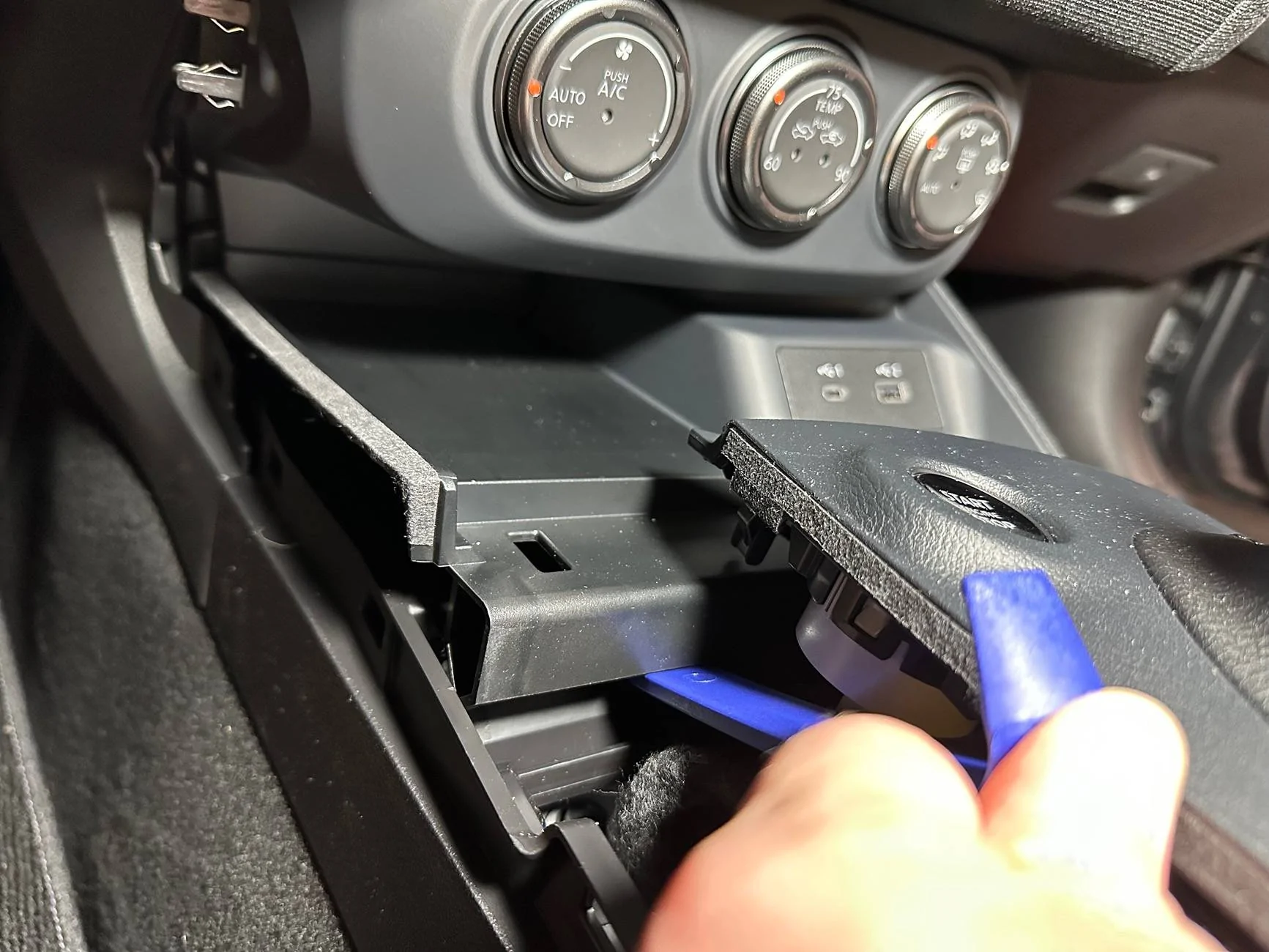
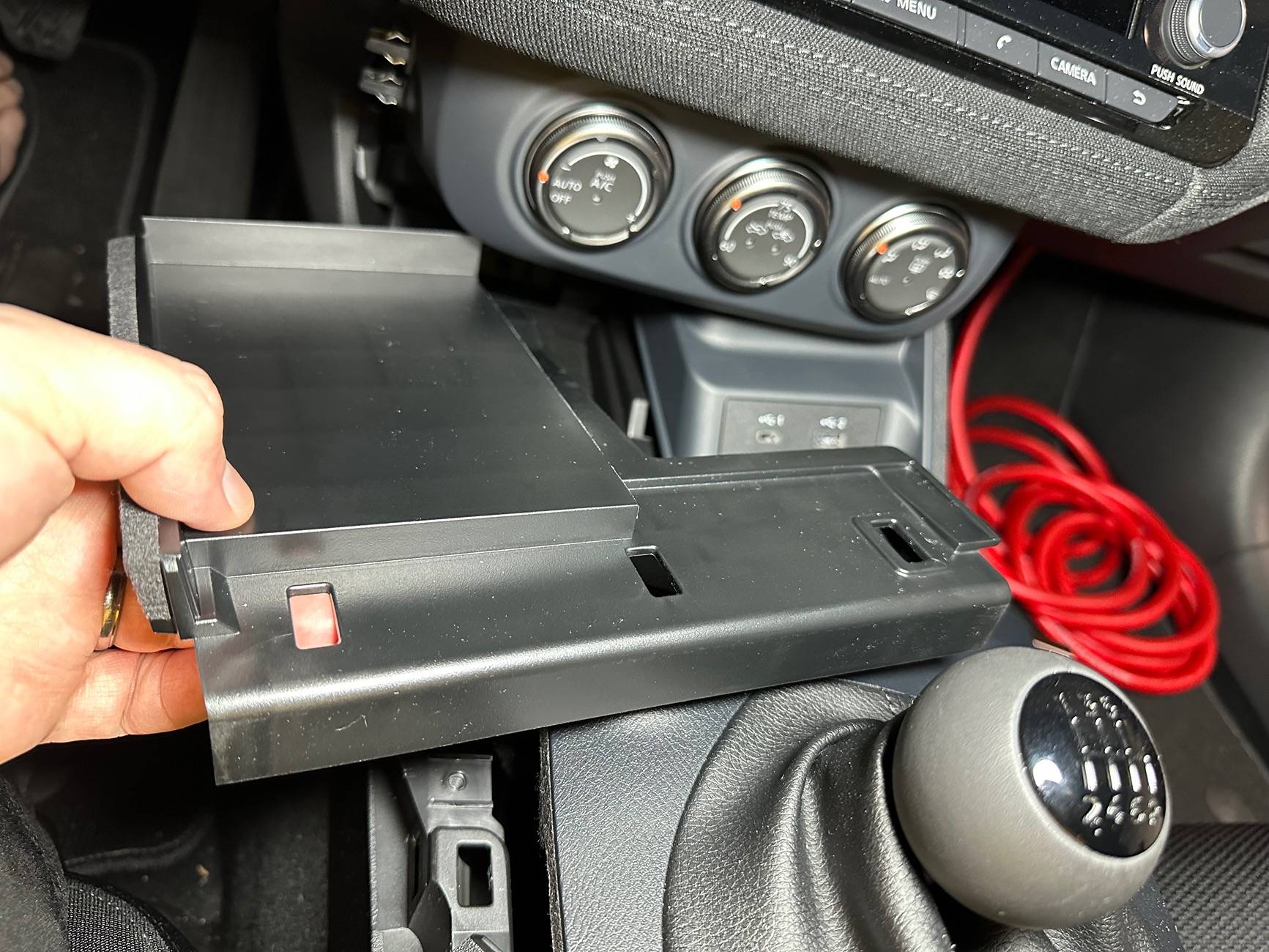
9. Set the rubber tray finisher aside and then remove the phone tray by lifting up on the front and then working towards the rear to disengage the clips. You can use a pry tool more aggressively on this piece on the front side because this is not an exposed surface once the console is reassembled. Lift the tray up and out and then set it aside.


tempImageXVxSw5.jpg


tempImagevVkoIM.jpg


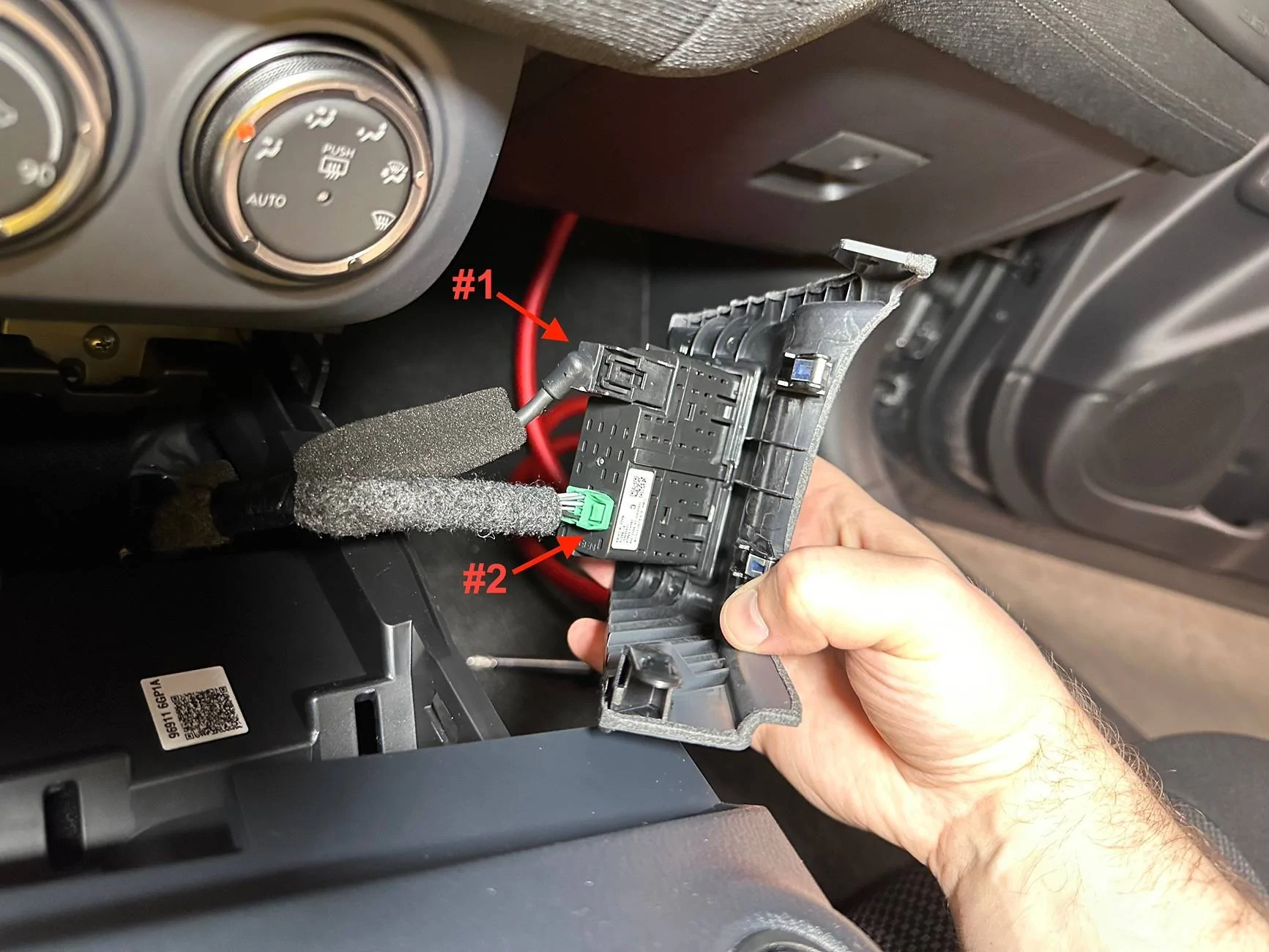
10. Remove the two plugs (#1 & #2) from the USB finisher and set it aside.


tempImageXmtwhN.jpg


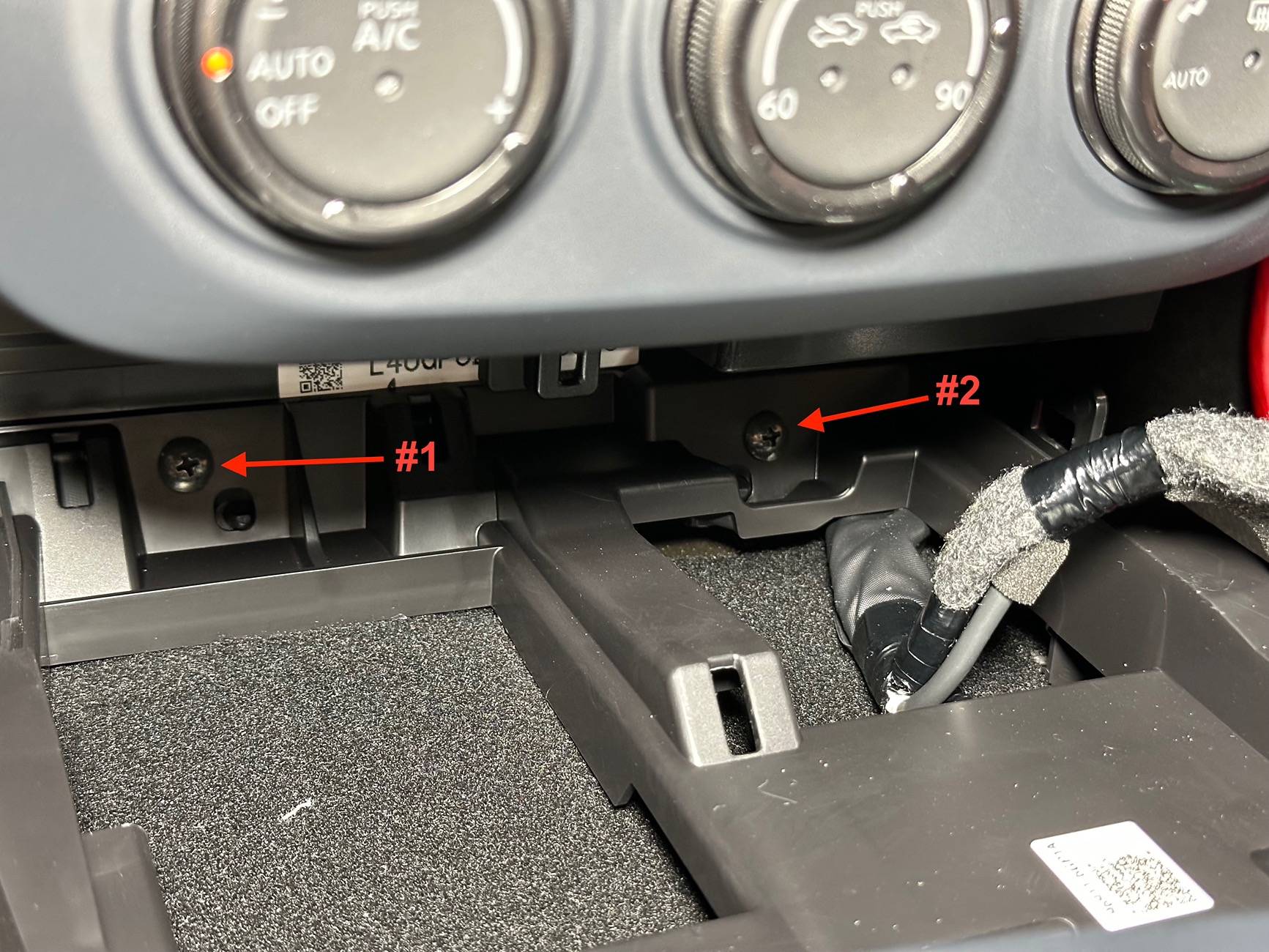
11. Remove the two screws (#1 & #2) from the front of the console. This is not necessary to remove the head unit, but it will give you more wiggle room if you are running wiring.


tempImagepqNzK0.jpg


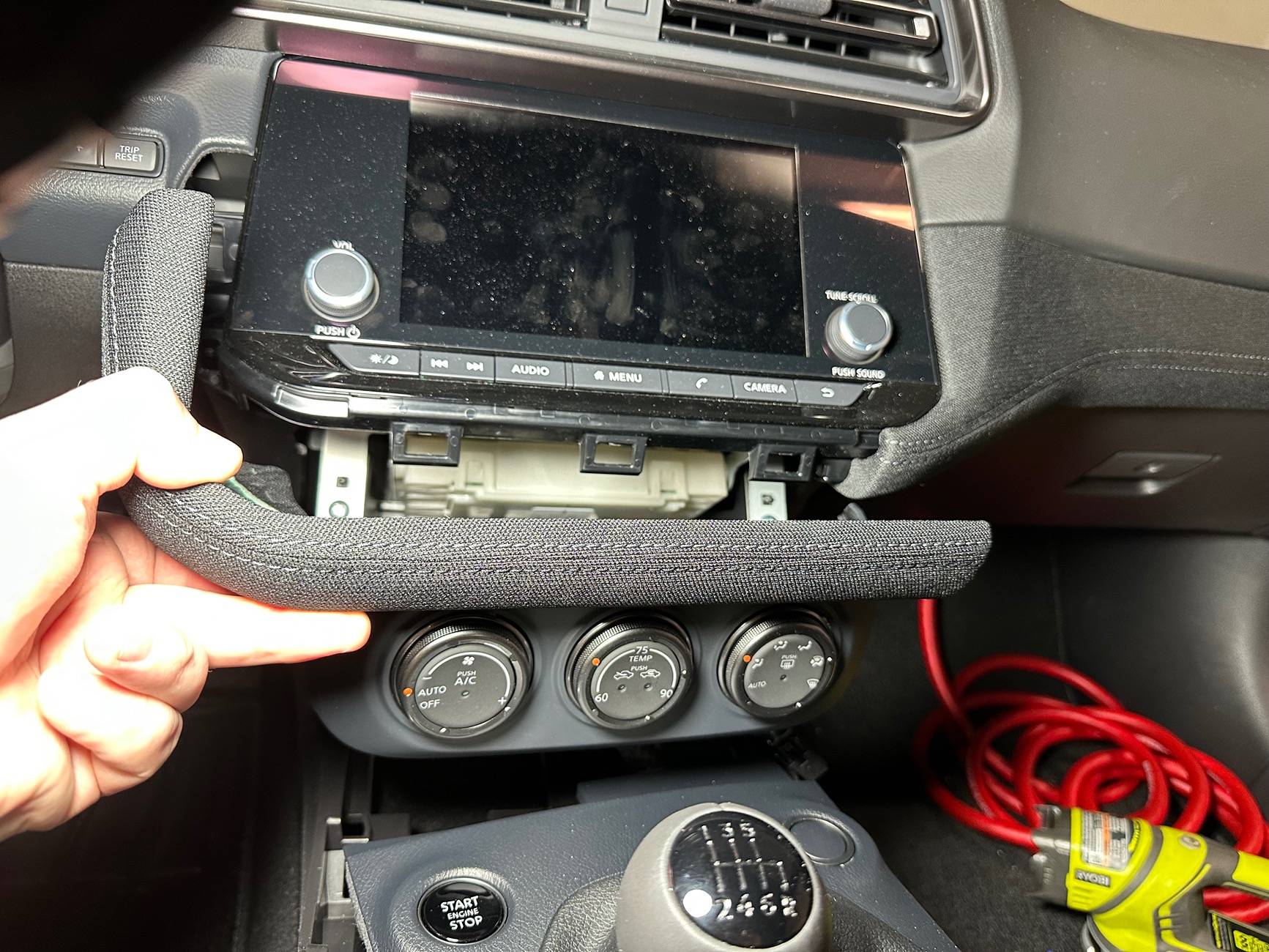
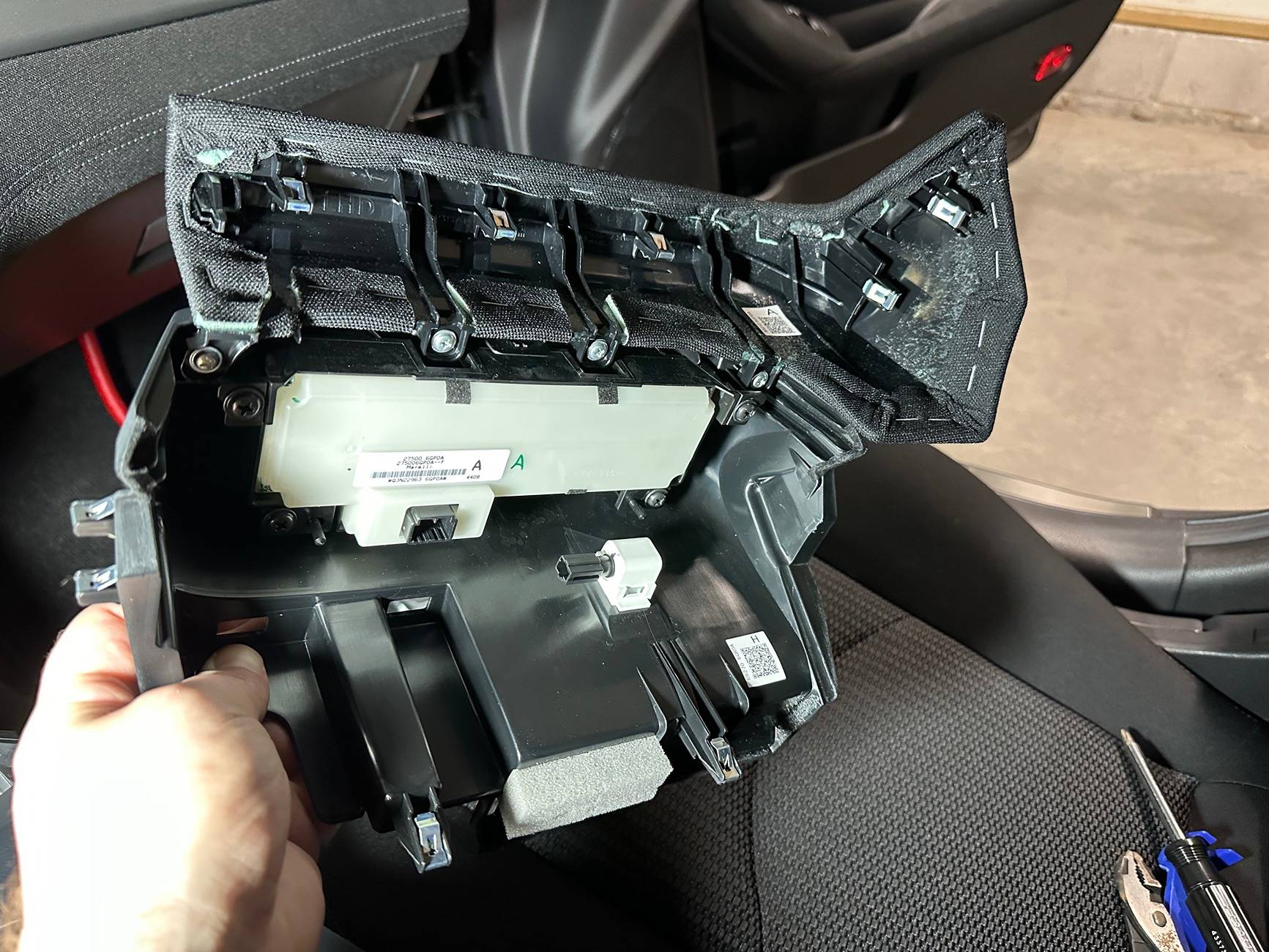
12. The lower radio finisher and A/C controls are a single piece. Remove the piece by pulling straight out from the dash to disengage the clips.


tempImage38Fimw.jpg


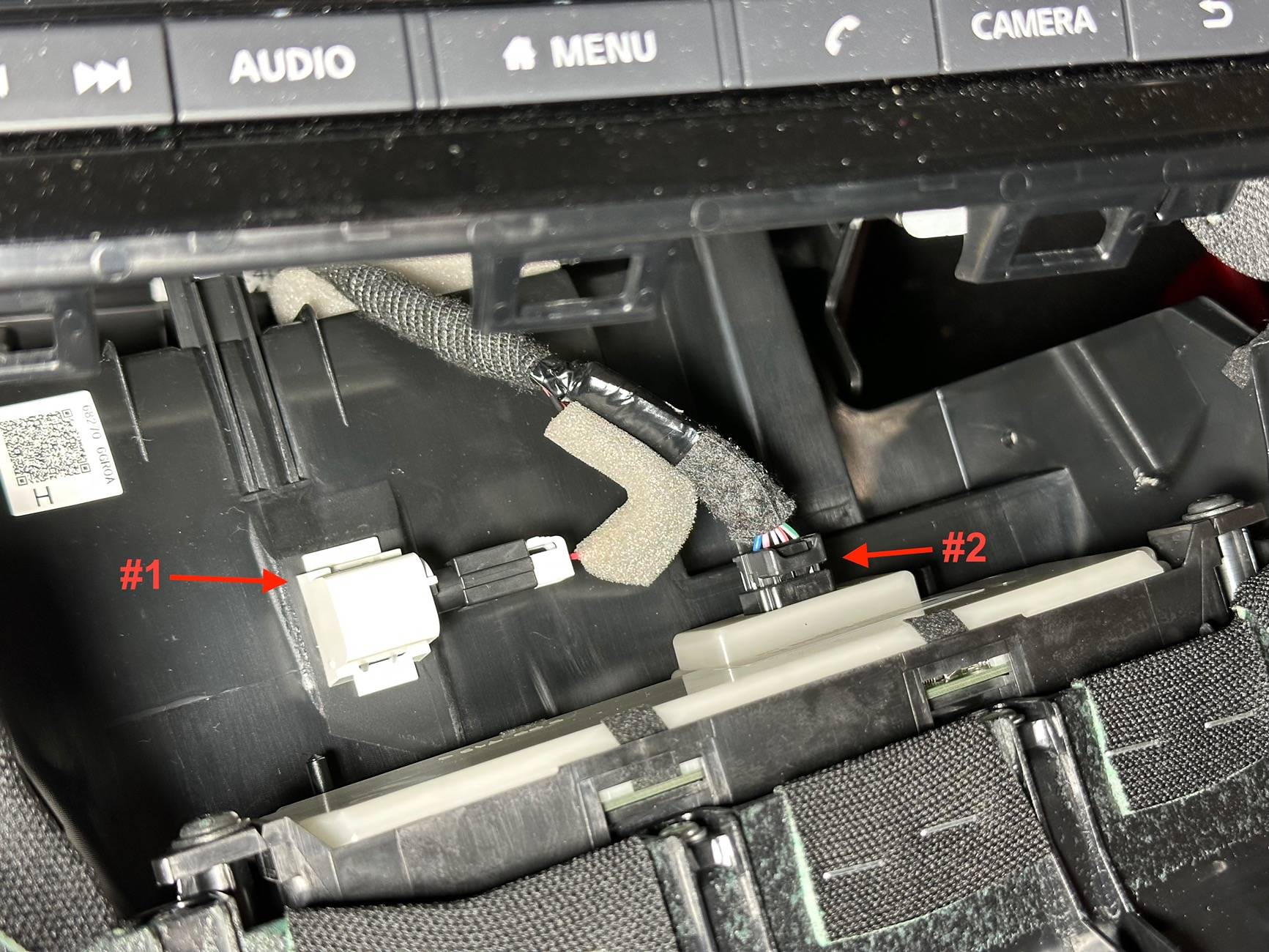
13. Remove the plugs for the lamp (#1) and A/C controls (#2).


tempImagecK12VV.jpg


14. Here is a picture of the lower radio finisher and A/C control assembly clip locations for reference.


tempImageVKUZRR.jpg


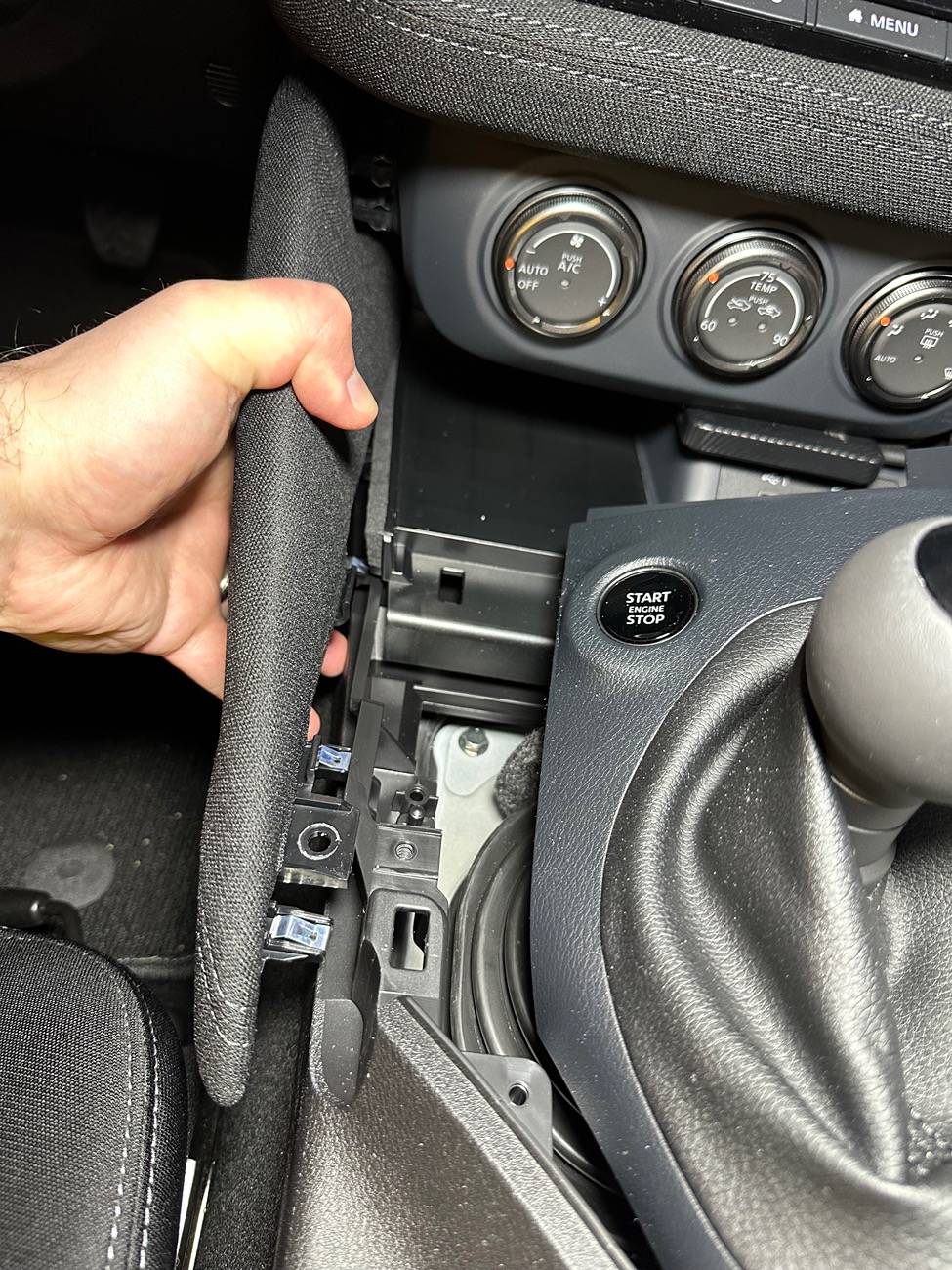
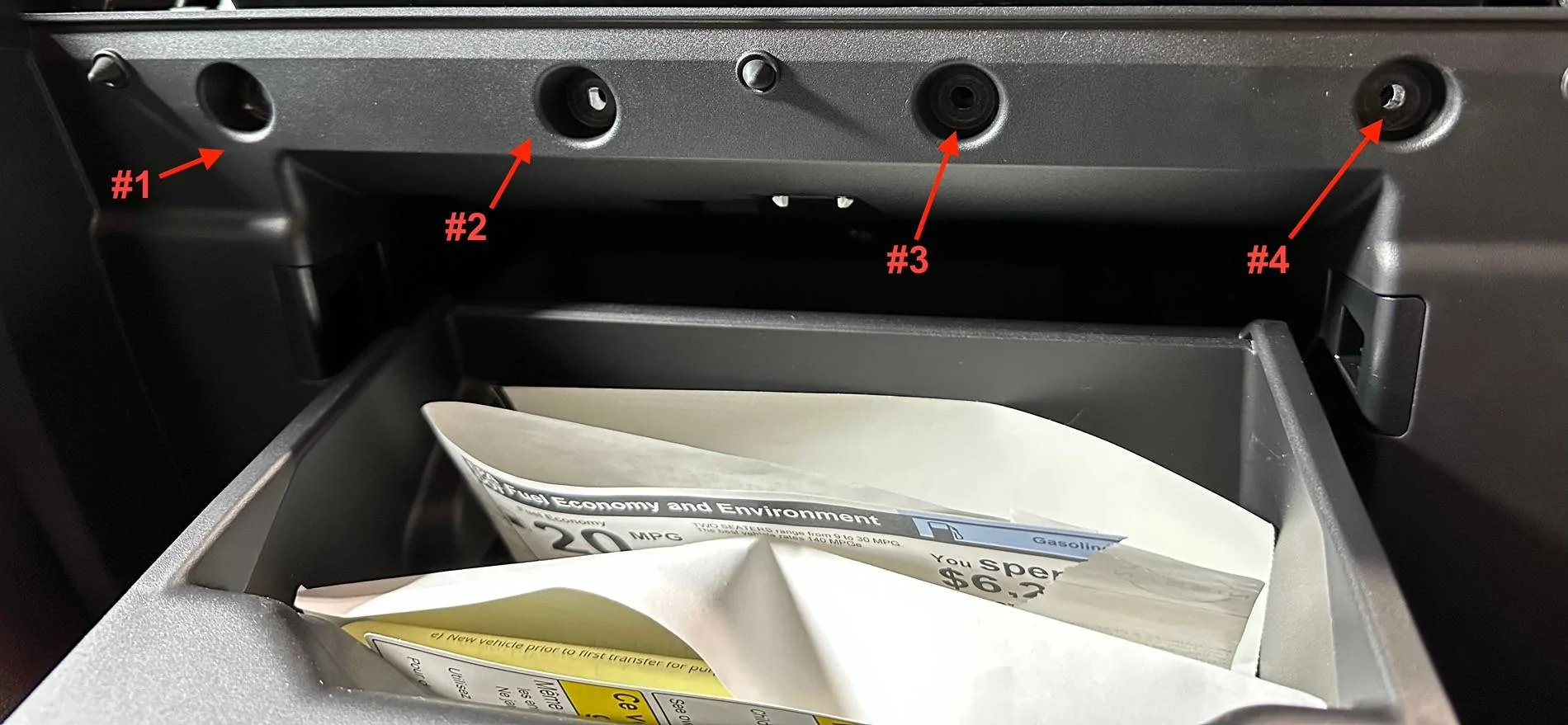
15. Remove the four screws (#1 - #4) from the upper glove box assembly.


tempImageQCz2aQ.jpg


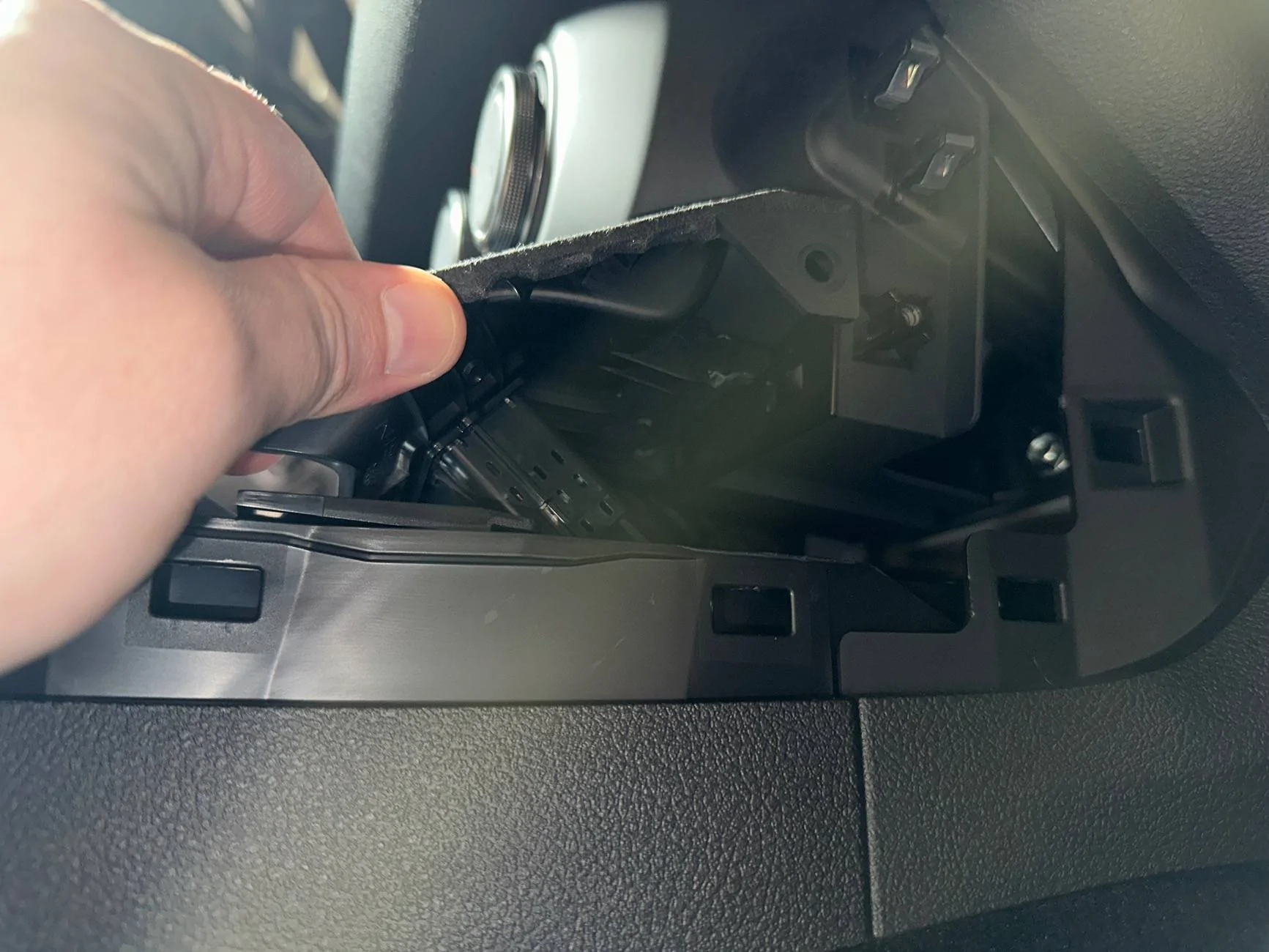
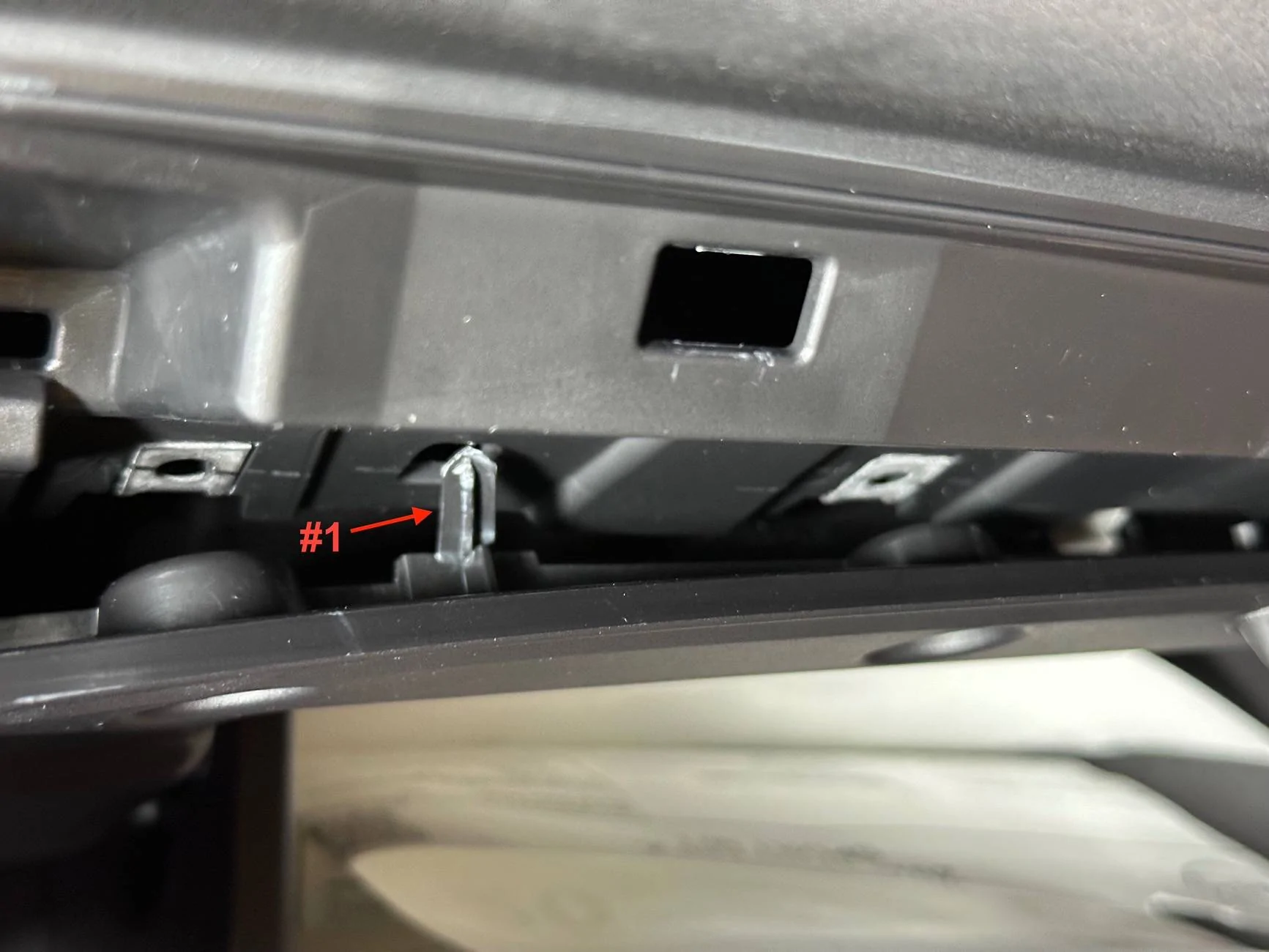
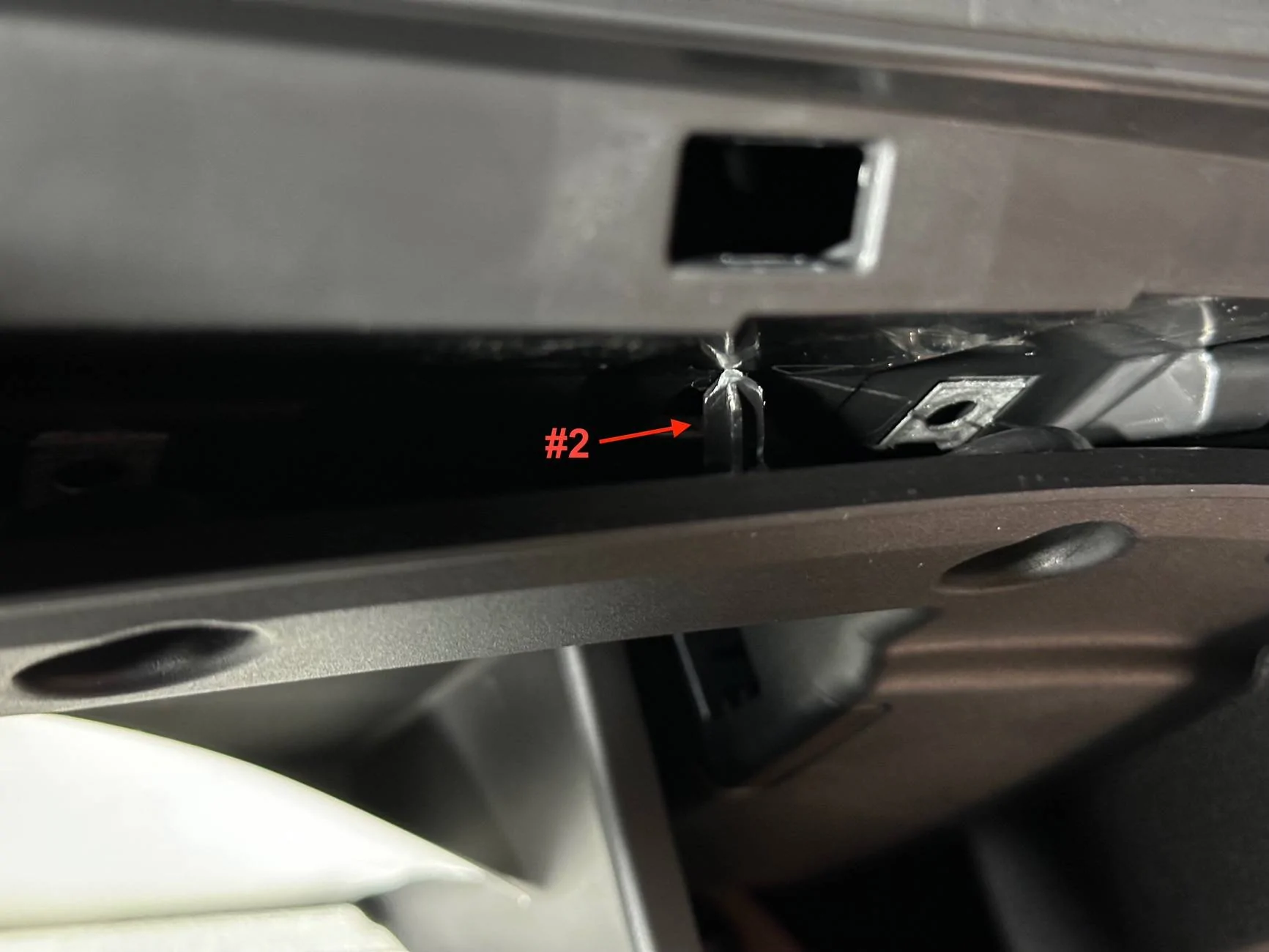
16. This is where I made my first mistake. To remove the right-side dash finisher the correct way, you would need to first remove the glove box completely. This is because there are two pins on the back of the glovebox that go through the dash finisher and then into the dash (#1 & #2). I forced the dash finisher out while pulling down on the glovebox. I thought all I needed was some wiggle room because the finisher was sandwiched between the glovebox and dash, but it’s not possible to get the finisher out without bending the pins if the glovebox is in place. Unfortunately, I couldn’t figure out how to get the glovebox out for proper re-install of the finisher. I took out additional screws on either side of the glovebox but couldn’t get it to come out. So I re-installed the dash finisher with the pins bent to shit.


tempImageFklzKK.jpg


tempImagePLLN43.jpg


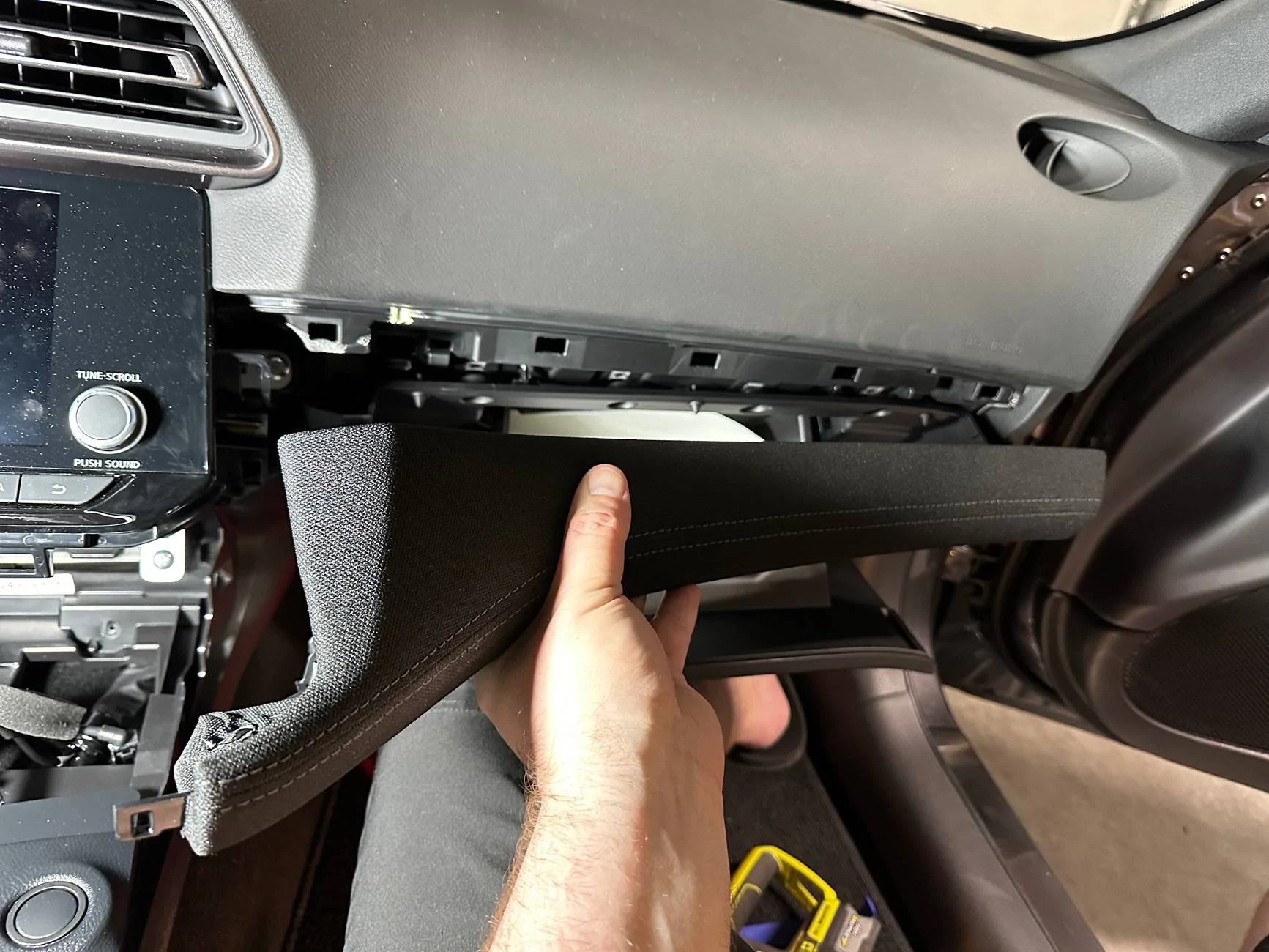
17. Assuming you have removed the glove box, remove the right-side dash finisher by pulling straight out from the dash to disengage the clips. If the glovebox is still in place, you will need to simultaneously pull the finisher out while pulling down on the glovebox so it flexes enough to remove the finisher from the glovebox/dash “sandwich”. But if you do it this way, you WILL bend the pins! Set the right-side dash finisher aside.


tempImageKw0DXu.jpg


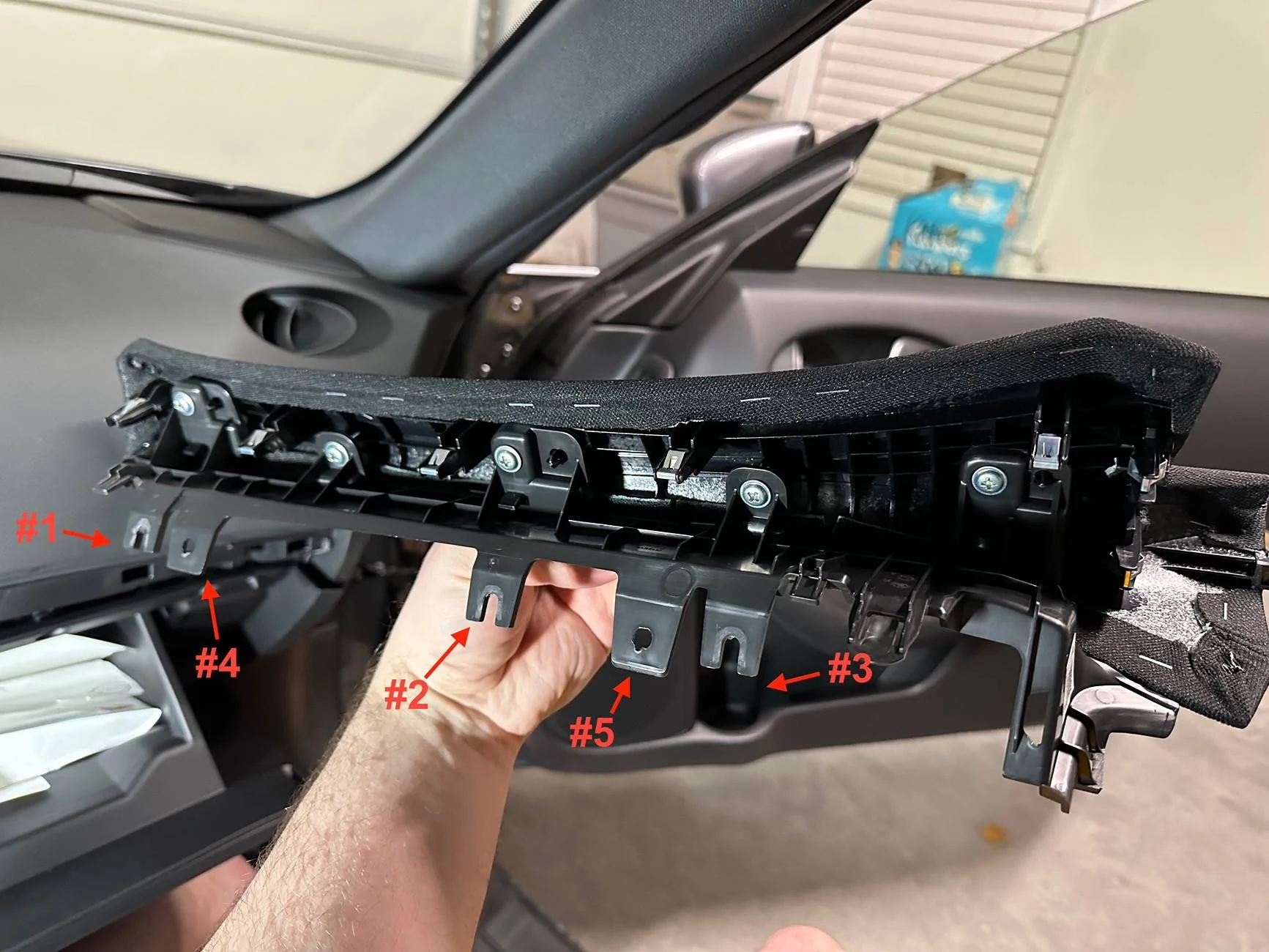
18. Here is a picture of the right-side dash finisher clip locations for reference. Note the passthrough points of the glovebox/finisher/dash sandwich; the screws pass through holes #1 - #3, and the pins pass through holes #4 & #5.


tempImageHvxWhj.jpg


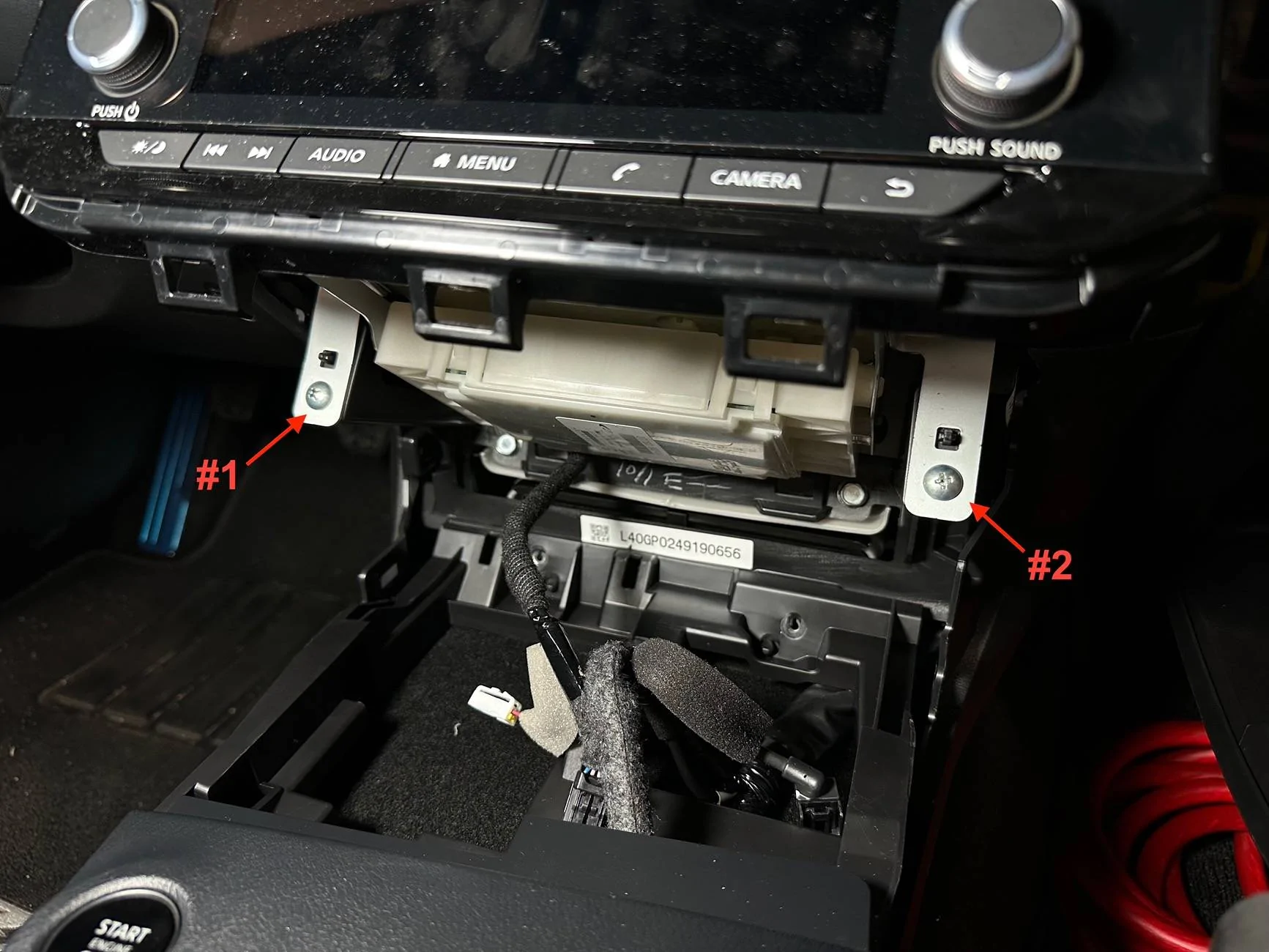
19. Remove the screws (#1 & #2) from the lower head unit bracket.


tempImageAh8AOO.jpg


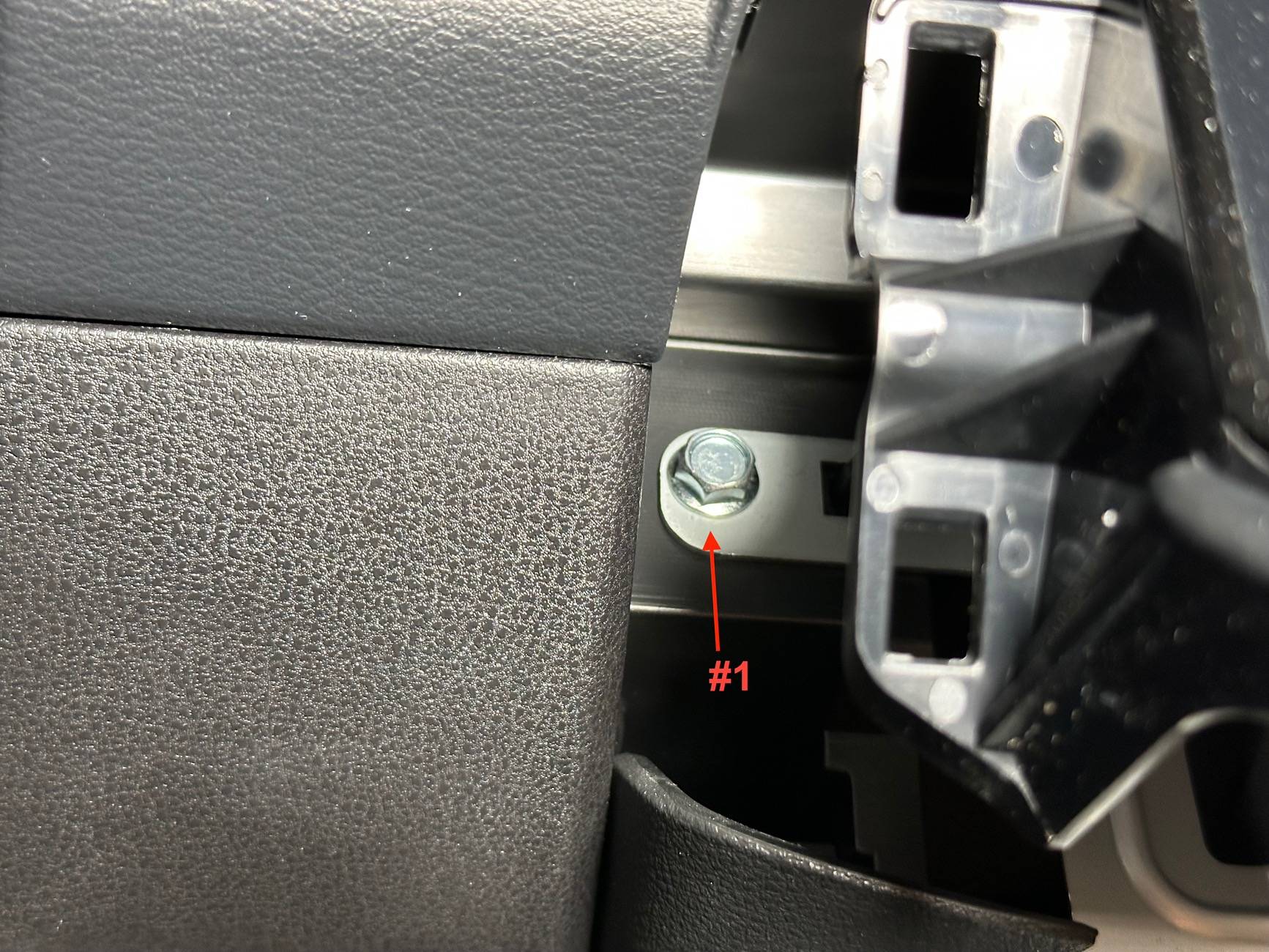
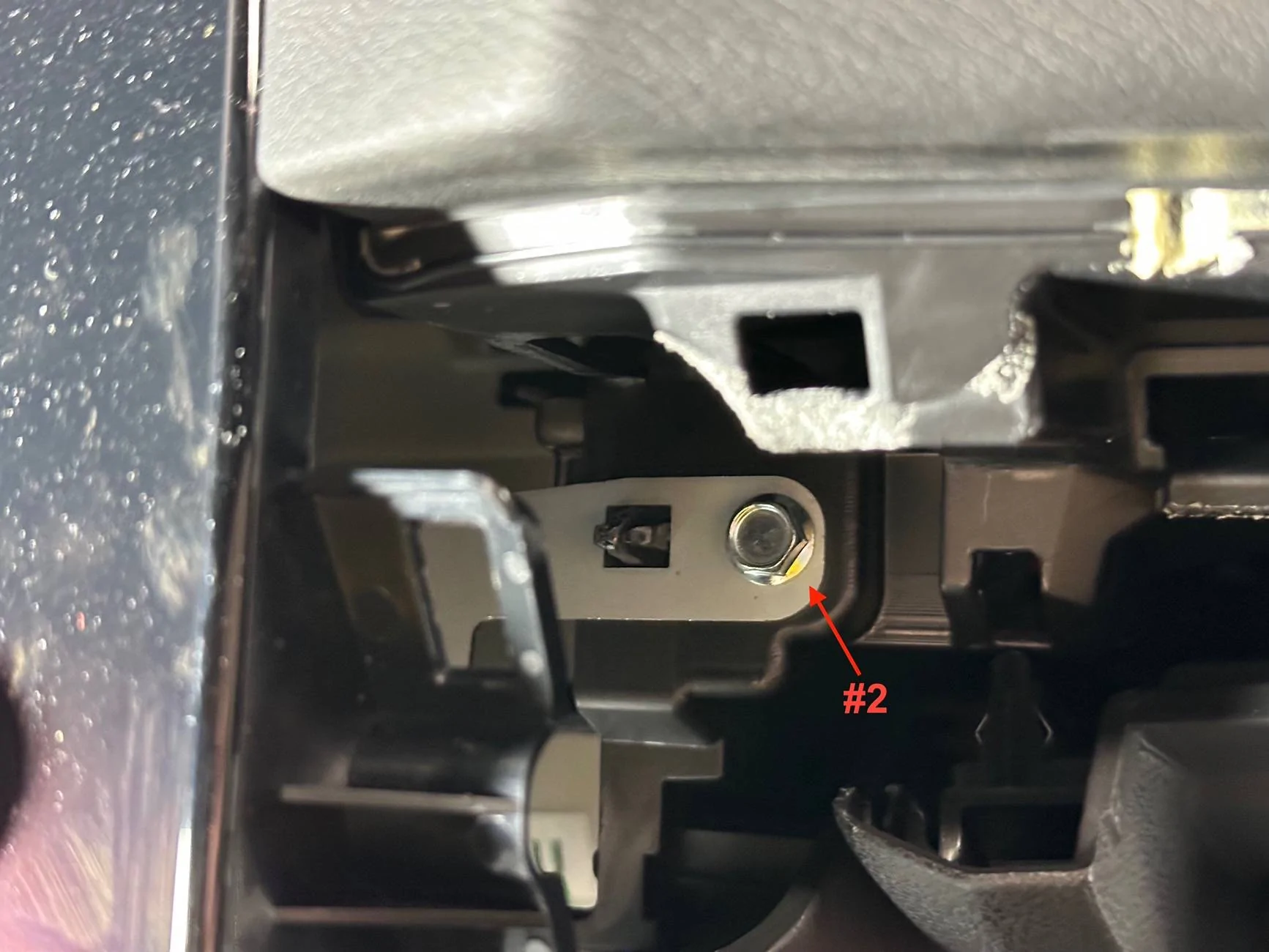
20. Remove the LH bolt (#1) and RH bolt (#2) from the upper head unit bracket.


tempImageZKJYzL.jpg


tempImageGKmmaW.jpg


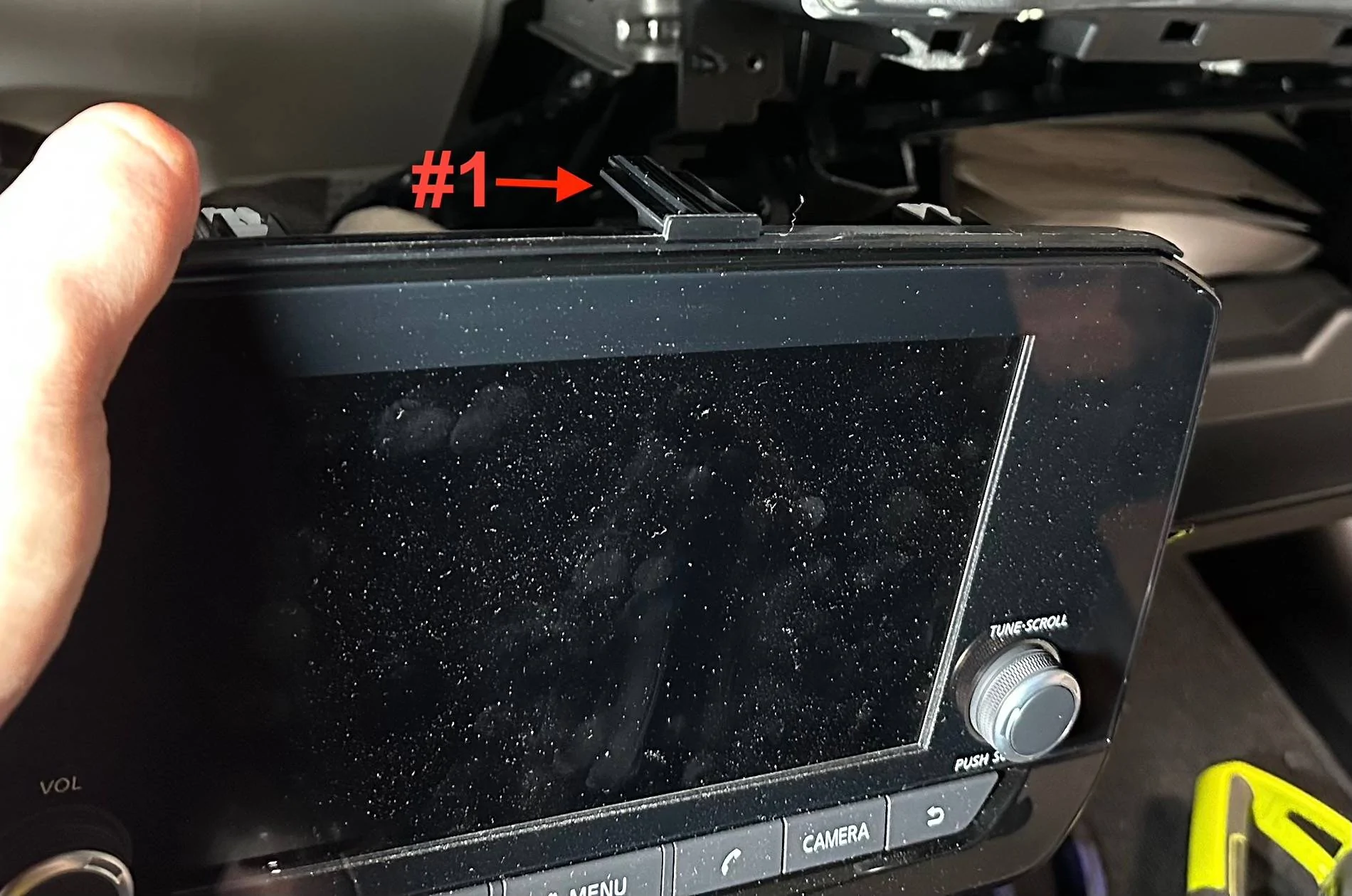
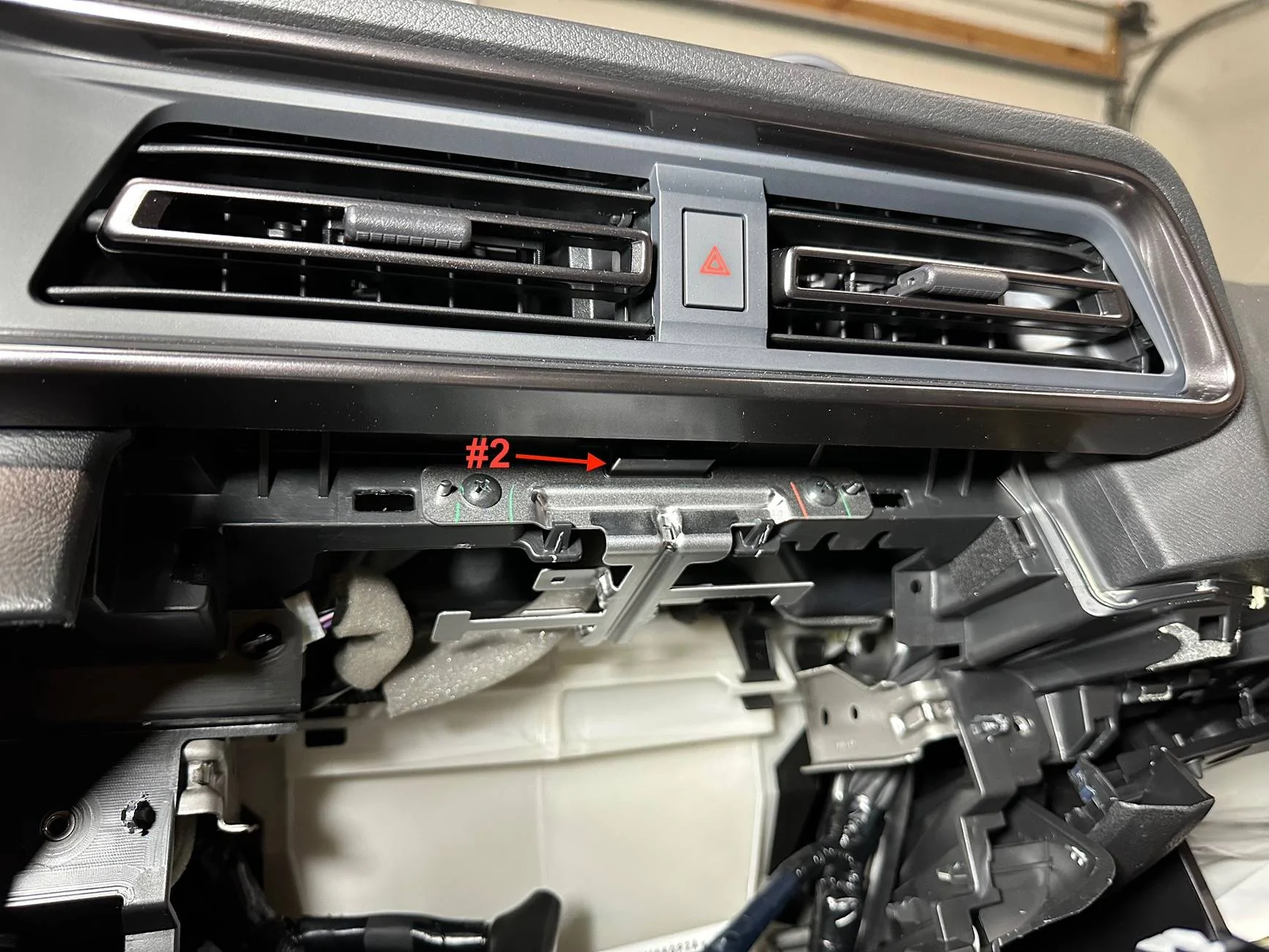
21. This is my second big screw up. At this point, you CAN pull the radio out from the dash. However, the correct order of operations would be to first remove the A/C vent housing directly above the radio. This is because there is a center flat “pin” on top of the radio (#1) that goes into a slot behind the A/C vent housing (#2). You can pull the A/C vent housing out and twist the radio down just enough to get the radio to pop out from behind the A/C vent housing. But you will NEVER get that pin back into the slot with the A/C vent housing still in place. Unfortunately, I was not able to figure out how to remove the A/C vent housing. I pried to the point I felt like it was going to break, and I didn’t see any screws, so I gave up. I was terrified I was going to crack this piece that is front and center on the dash. So I ended up hacking the flat pin off of the top of the radio to get it back in. There are multiple other clips, screws, and bolts to keep it in place, so I don’t think it’s a problem. It must be there for alignment purposes at the factory. But be warned, if you want to maintain this flat pin on the radio, you’ll need to figure out how to remove the A/C vent housing.


tempImageqr7dc2.jpg


tempImage4h2euD.jpg


22. Assuming the A/C vent housing has been removed, pull straight out on the radio away from the dash to disengage the clips.


tempImage6esffA.jpg


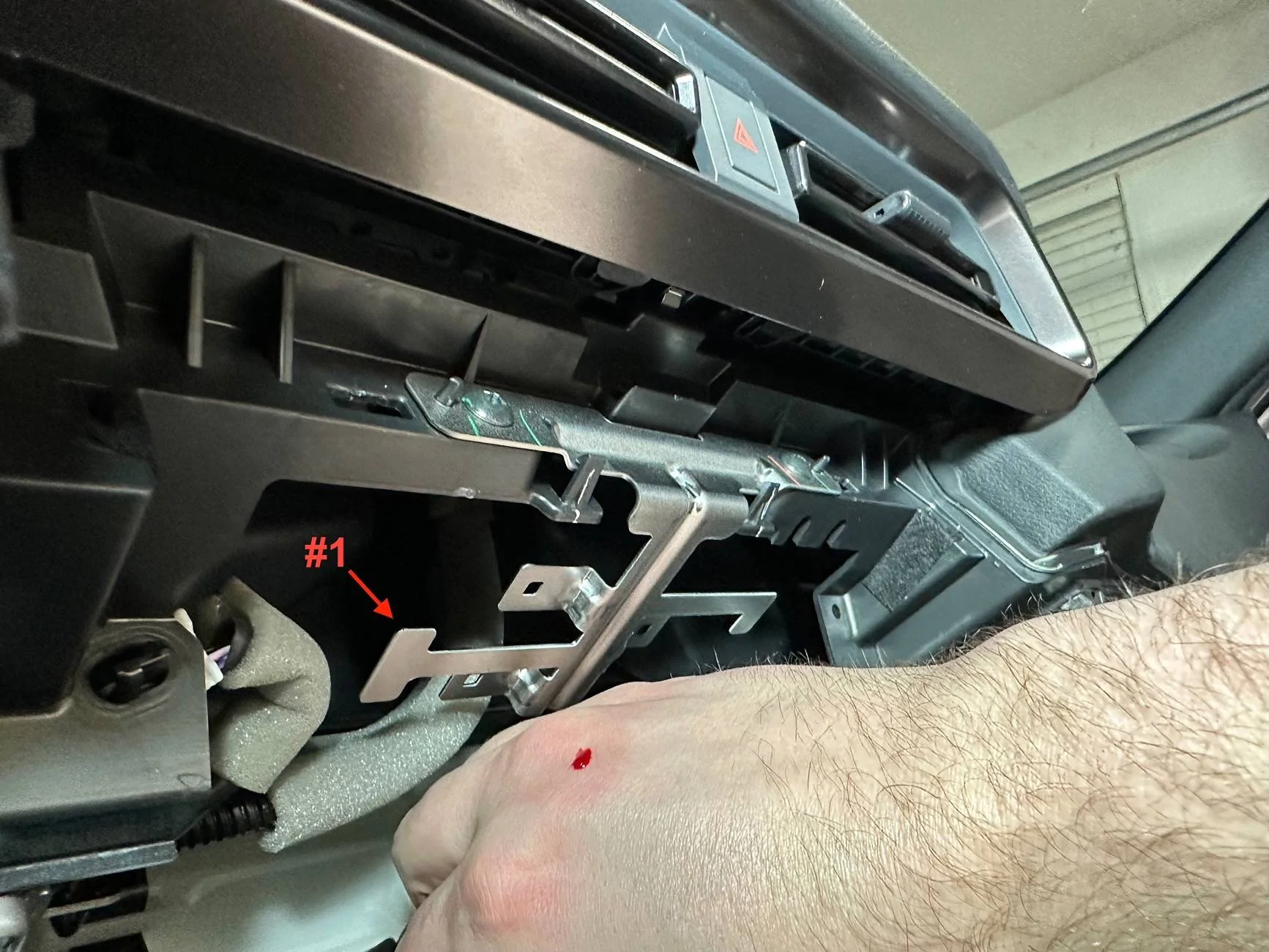
23. Be careful around this silver bracket (#1), it is razor sharp.


tempImageoiIO7b.jpg


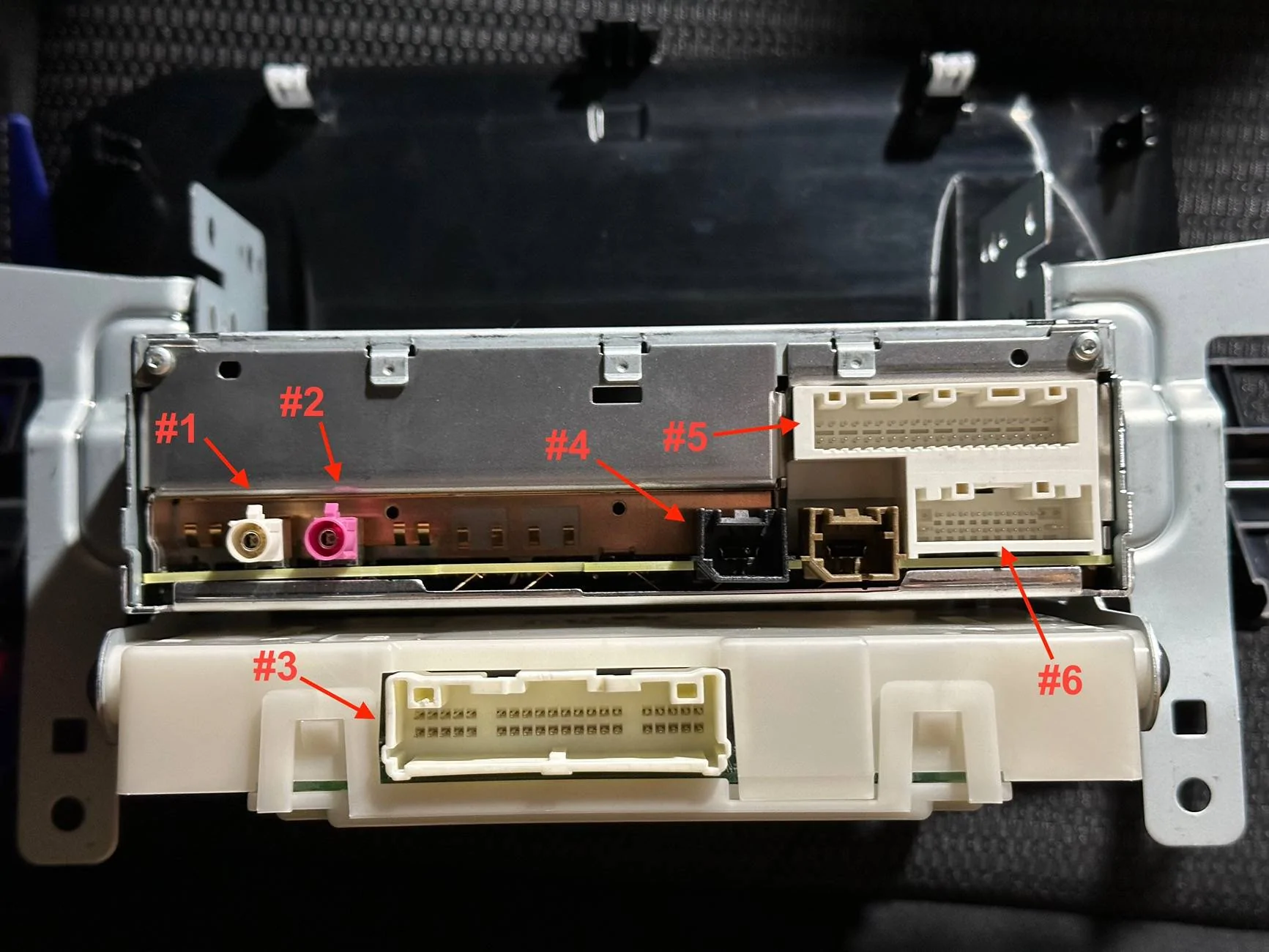
24. Remove the plugs from the rear of the radio. There are 6 plugs total (#1 - #6). Note that only one of the USB plugs are utilized; one seems to be a throwaway plug, possibly used in different assembly?


tempImagewW1ui4.jpg


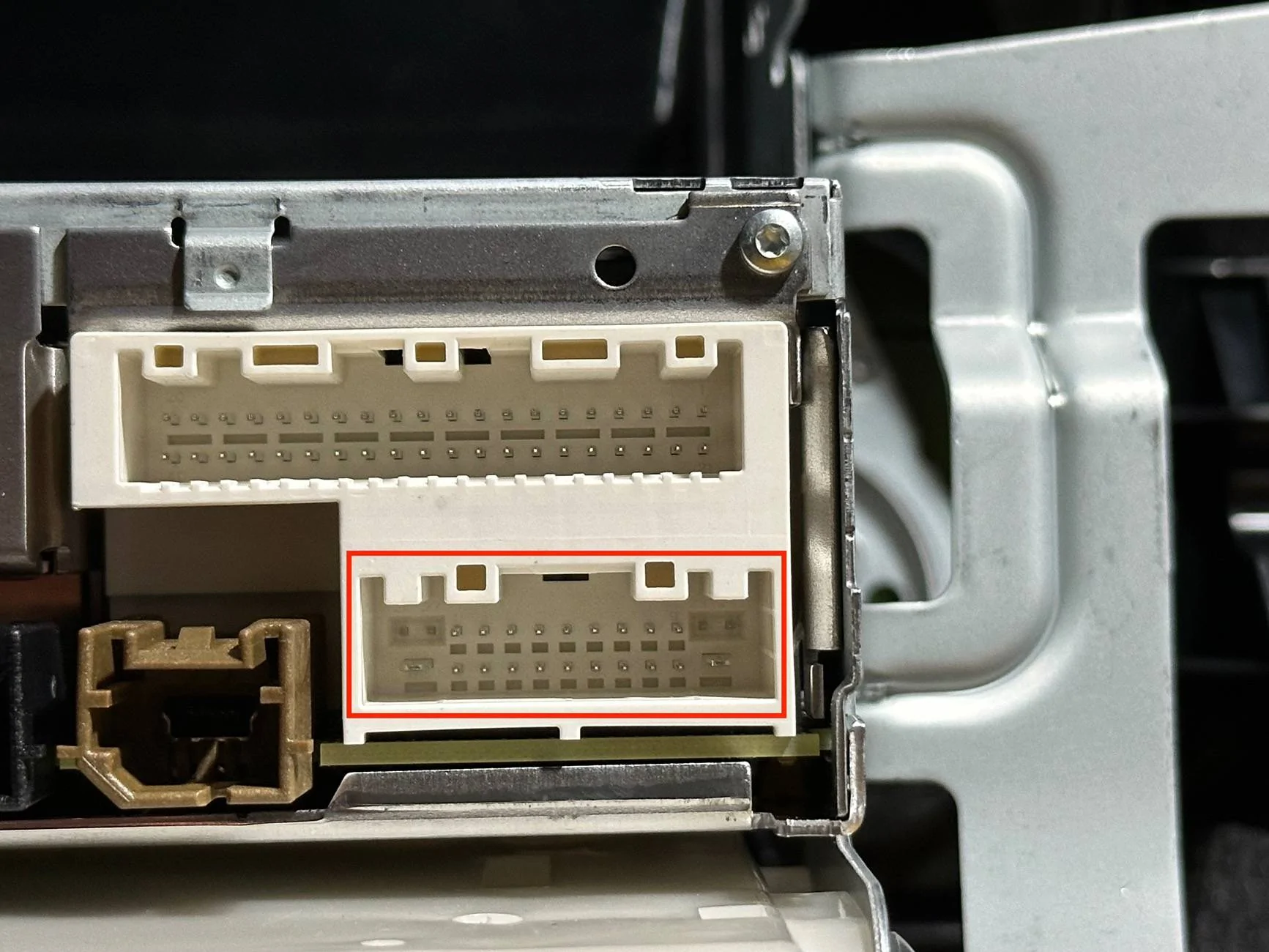
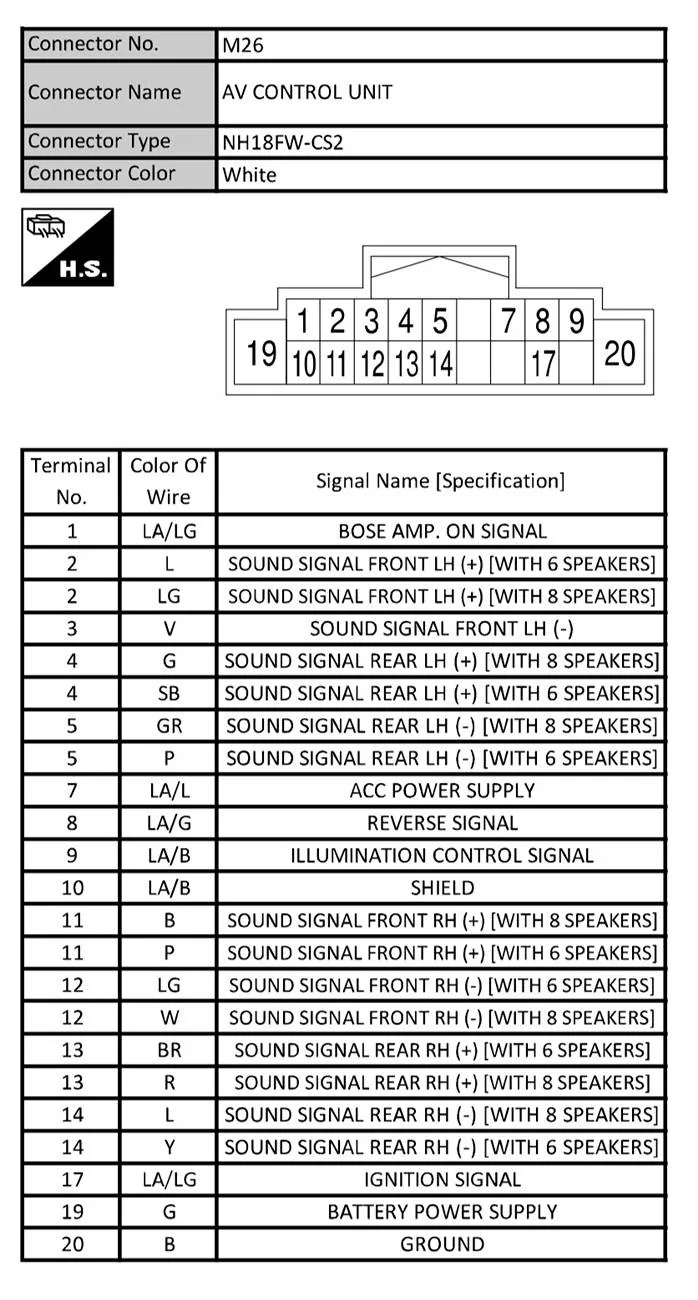
25. This is the important plug if you plan to tap into the factory signal. See the pinout from the service manual below.


tempImage3Xrvhy.jpg


IMG_0450.jpg


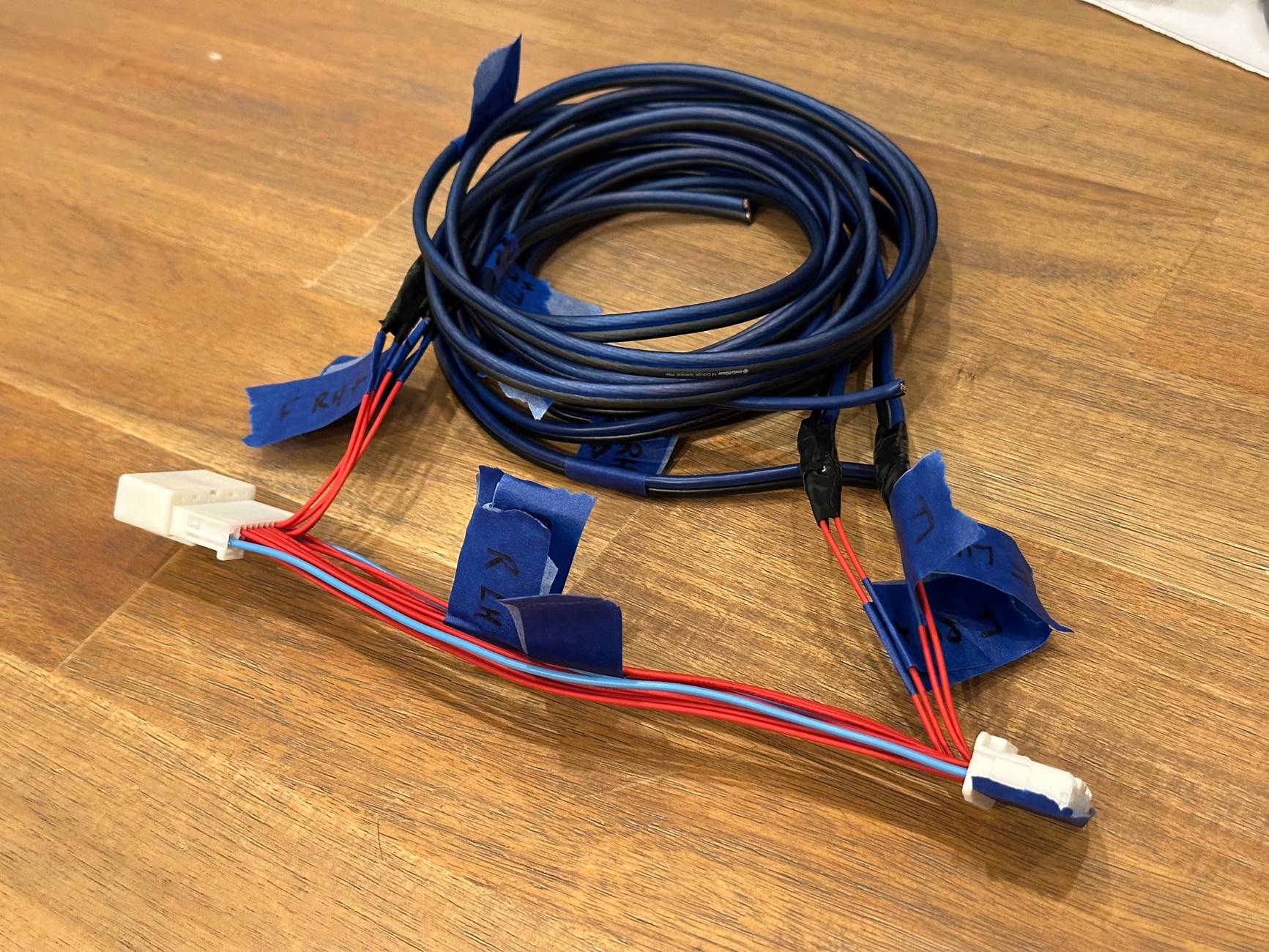
26. I used a sub-harness that goes between the radio and the factory harness plug. I would highly recommend doing this rather than tapping into your factory wiring. There is not a lot of slack in the factory harness and it would be a nightmare trying to cut and splice it.


tempImageWgS3DC.jpg


27. This picture shows how I modified the sub-harness for my install. I intercepted the front speaker signal on the radio side of the harness to send to my DSP unit, and then tapped into the front speaker wires on the harness side to send the signal from my amp.


tempImageNI1WJr.jpg


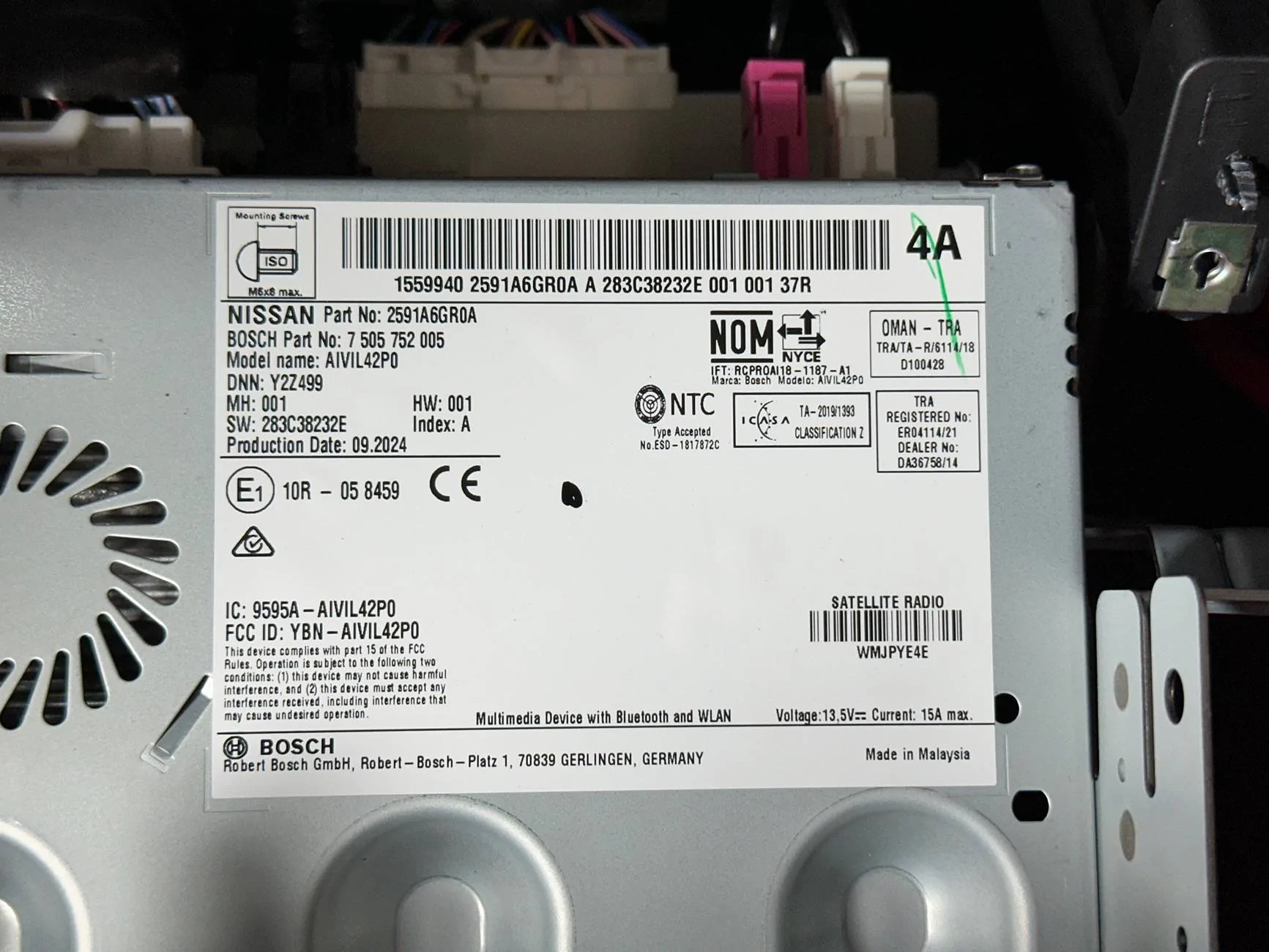
28. Here is the radio info sticker for reference.


tempImageUTvKKs.jpg


That’s pretty much it! Install is reverse of removal. Good luck!
This is an absolutely amazing tutorial. Thank you for the detailed steps and info. Great pictures too!
 

Mugzilla

Well-Known Member
First Name
Matt
Joined
Apr 4, 2024
Threads
56
Messages
595
Reaction score
656
Location
Short Hills, NJ
Car(s)
2024 Z Sport (MT)
Occupation
printer repair man
E_R, you said the following:


  • The Sport head unit does NOT have individual outputs for the front dash and door speakers; the L/H door and dash speakers are bridged together from a single amp output (same for R/H).

So what you are saying is, there are speakers with different resistance values in the front left and front right leg?!

(Door speakers are 2 ohm. Dash speakers are 4 ohm). If so, this is some of the most shadetree mechanic / Kentucky windage BS ever.
 
OP
OP
Exquisite_Red

Exquisite_Red

Well-Known Member
First Name
Donnie
Joined
Feb 24, 2025
Threads
2
Messages
97
Reaction score
152
Location
Nashville, TN
Car(s)
'24 Nissan Z 6MT
Occupation
NNA-S Project Manager
E_R, you said the following:


  • The Sport head unit does NOT have individual outputs for the front dash and door speakers; the L/H door and dash speakers are bridged together from a single amp output (same for R/H).

So what you are saying is, there are speakers with different resistance values in the front left and front right leg?!

(Door speakers are 2 ohm. Dash speakers are 4 ohm). If so, this is some of the most shadetree mechanic / Kentucky windage BS ever.
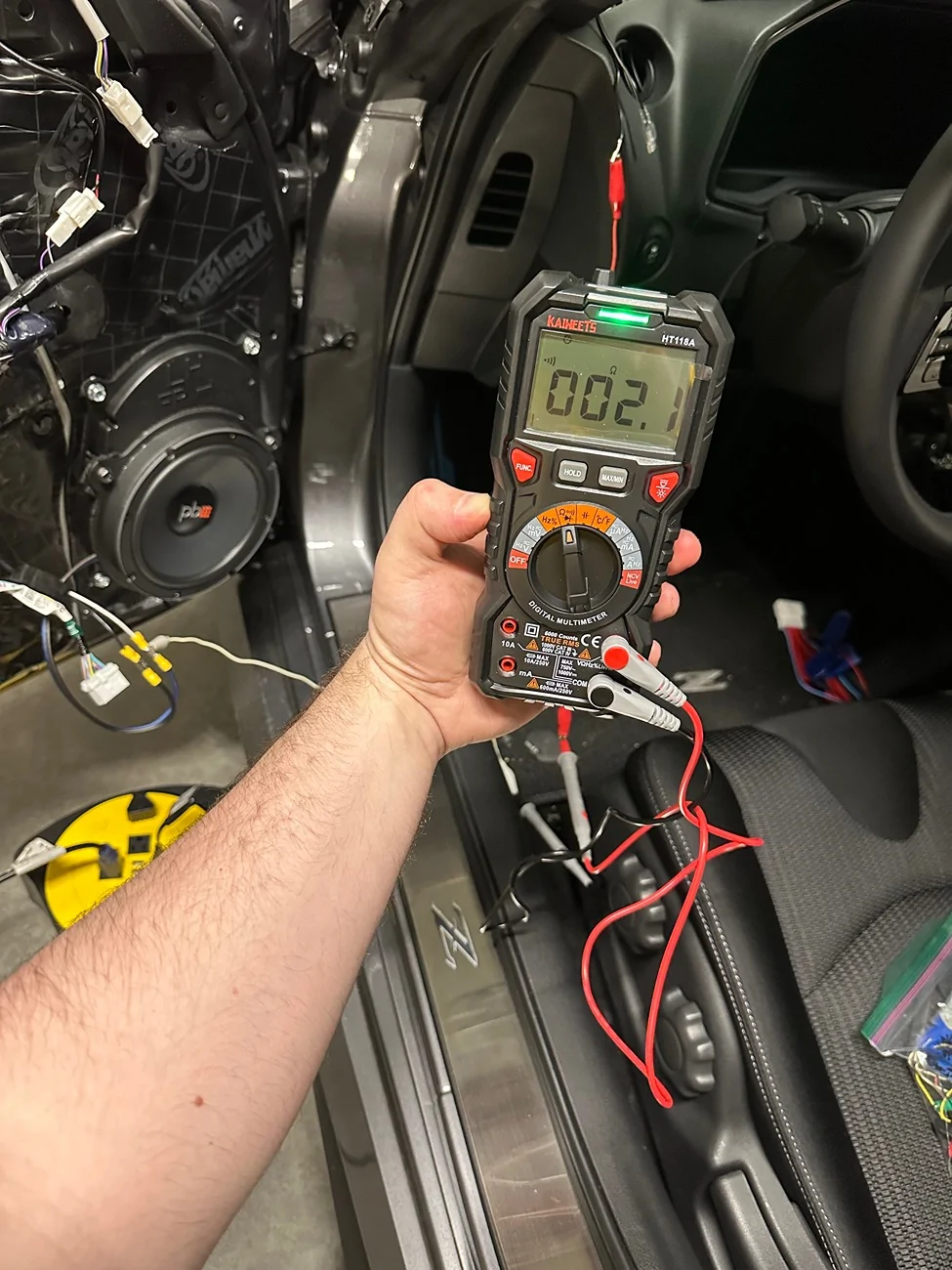
That’s right, see the pic below of me ohming out the contacts of the dash and door speaker plugs to show continuity. Kind of hard to see, but the red lead is alligator clipped to the dash speaker wire and the black lead is alligator clipped to the door wire. I checked and re-checked this like three times to be sure because I couldn’t believe it, lol.

IMG_0520.webp


Top