
Sponsored

How do we completely disable VDC/Traction Control?

PDX_Racer

Active Member
First Name
Glenn
Joined
Aug 19, 2024
Threads
3
Messages
36
Reaction score
82
Location
Nashville, TN
Car(s)
2024 Z NISMO
Well, I tried holding down the brake (ADCD button) today at the ProSolo Finale-the car was very unhappy. No launch control, no acceleration, once I got some speed, the computer seemed to be off-but it's definitely NOT the way to go for autocross. This afternoon I'm going to try holding it down until the yellow light turns on (1-2 seconds).

Edit: Perhaps the "second brake button" doesn't work on the NISMO. Other parts of the electronics are different, why not this as well. That being said, with just the VDC button held down 10 seconds, and in the extreme rain conditions we had here at Lincoln, the Z was sideways a LOT.
 
Last edited:
jkques

Member
First Name
Jason
Joined
Sep 28, 2025
Threads
0
Messages
5
Reaction score
5
Location
Piedmont, CA
Car(s)
2024 Nissan Z Performance
Occupation
Gig
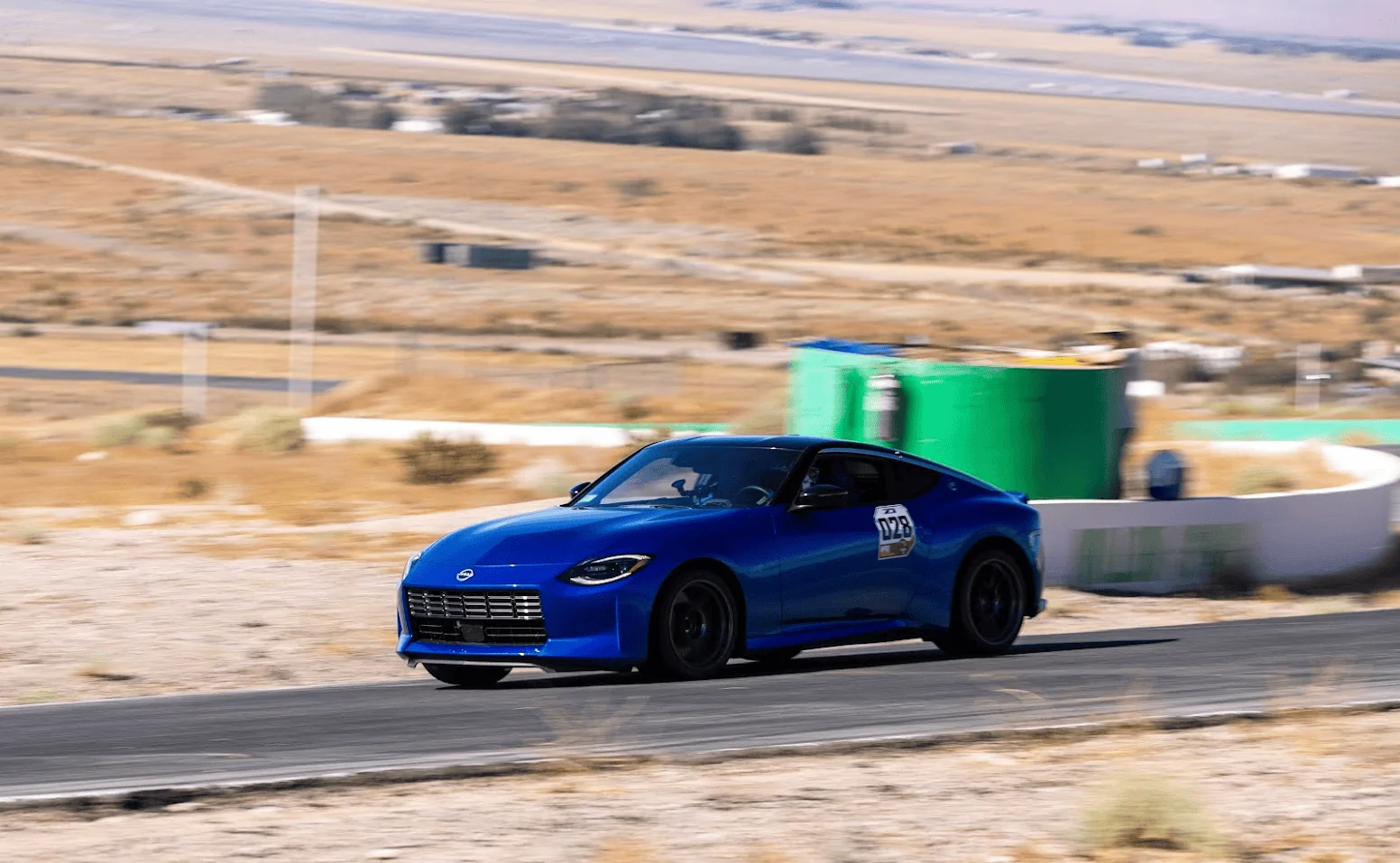
PFA - A couple shots of my new Z at Willow Springs International Raceway during ZCON 2023 in So Cal.
1705828129057.png

1705828249552.png


If you're new to owning a modern Z you may not know that the VDC button does not completely disable traction control on your car.

The 370z required splicing a wire/switch to a yaw sensor, which would allow you to completely disable VDC/TC leaving only the ABS active and functioning.

I've seen and read that you can do the same with the RZ34 and the VR30 equipped Q50/60 but it's a little different.

Method 1: Some claim you can hold the VDC button down for like 10 seconds and that should do it. After doing so you will notice that toggling the button does nothing and does not indicate if VDC is enabled or disabled.

Method 2: With your foot on the brake pedal, reach down under the dash to where the brake pedal is and find the brake light switch on the pedal assembly. Hold it down for about 10 seconds or so until a light on the dash turns on.

Disclaimer: I DO NOT recommend inexperienced drivers or drivers who are unfamiliar with handling a car at the limits of traction to try this.

I'm asking this in the tracking section of this site because drivers who are seeking to get the most out of the car are going to need to disable the nannys. Nothing kills your lap times like an invasive OEM TC system ;)
Method 1 does not disable traction control or stability control. It simply deactivates the VDC button so that a valet can't go joyriding in the car. Method 2 does work to disable all "nannies". However, you're not actually pressing on the brake light switch. You're pressing on a different switch attached to the same bracket.
 

jkques

Member
First Name
Jason
Joined
Sep 28, 2025
Threads
0
Messages
5
Reaction score
5
Location
Piedmont, CA
Car(s)
2024 Nissan Z Performance
Occupation
Gig
I'm a bit confused because all I did was tap the TC button once and it seems like that fully disables everything. See video below for a few examples from two track days I did this week where I was expecting the TC to start interfering because I'd seen you guys saying you need to hold the button under the brake pedal (which I didn't do because when I tried it at home absolutely nothing happened no matter how long I held it for). You can see in one clip it even lets me do transitions from drifting one way to the other, which is what usually upsets ESC systems the most in my experience.

Maybe my car is different because its a Japanese import (the only way we can get them in the UK) but that would be odd as I've had a JDM 350Z in the past and that needed a lot of messing around unplugging all sorts of things to fully turn the TC and ESC off.

So yeah just wondering if anyone can confirm if your cars would let you do these kinds of slides with just one quick press of the TC button or would you have to do the brake pedal thing to allow it to do this? If you can do this kind of thing with just a press of the TC button then what is it that you can't do that requires the brake pedal thing to be done?

Did you ever figure out if you can disable the yaw sensor completely on your JDM Z?
 

jkques

Member
First Name
Jason
Joined
Sep 28, 2025
Threads
0
Messages
5
Reaction score
5
Location
Piedmont, CA
Car(s)
2024 Nissan Z Performance
Occupation
Gig
Well, I tried holding down the brake (ADCD button) today at the ProSolo Finale-the car was very unhappy. No launch control, no acceleration, once I got some speed, the computer seemed to be off-but it's definitely NOT the way to go for autocross. This afternoon I'm going to try holding it down until the yellow light turns on (1-2 seconds).

Edit: Perhaps the "second brake button" doesn't work on the NISMO. Other parts of the electronics are different, why not this as well. That being said, with just the VDC button held down 10 seconds, and in the extreme rain conditions we had here at Lincoln, the Z was sideways a LOT.
When you held the VDC button down for 10 seconds, does the VDC off light stay on or does it turn off? If it comes on and then turns back off after 10 seconds, you haven't disabled traction control or any other traction "nanny". You've just deactivated the VDC button. It's a "valet mode" so valets can't joyride in your car.
 

PDX_Racer

Active Member
First Name
Glenn
Joined
Aug 19, 2024
Threads
3
Messages
36
Reaction score
82
Location
Nashville, TN
Car(s)
2024 Z NISMO
When you held the VDC button down for 10 seconds, does the VDC off light stay on or does it turn off? If it comes on and then turns back off after 10 seconds, you haven't disabled traction control or any other traction "nanny". You've just deactivated the VDC button. It's a "valet mode" so valets can't joyride in your car.
Actually, holding down the VDC button for 11 seconds, when the "VDC Off" light goes off does disable VDC so it can't be changed without restarting the car. To "disable" traction control (throttle when the steering wheel isn't straight), you need to turn of Emergency Braking in the Driver Assists menu. This is true, at least on my NISMO.

I actively autocross my NISMO-and have verified all of these settings, both from personal experience as well as talking to a NISMO engineer.
 

jkques

Member
First Name
Jason
Joined
Sep 28, 2025
Threads
0
Messages
5
Reaction score
5
Location
Piedmont, CA
Car(s)
2024 Nissan Z Performance
Occupation
Gig
Actually, holding down the VDC button for 11 seconds, when the "VDC Off" light goes off does disable VDC so it can't be changed without restarting the car. To "disable" traction control (throttle when the steering wheel isn't straight), you need to turn of Emergency Braking in the Driver Assists menu. This is true, at least on my NISMO.

I actively autocross my NISMO-and have verified all of these settings, both from personal experience as well as talking to a NISMO engineer.
Do you also have the "secret button" on the brake light switch bracket?
 

PDX_Racer

Active Member
First Name
Glenn
Joined
Aug 19, 2024
Threads
3
Messages
36
Reaction score
82
Location
Nashville, TN
Car(s)
2024 Z NISMO
Interesting
Different computer programming on the NISMO. Not really a big surprise.

My issue is more with myself: I originally had turning off the Emergency Braking on my setup list, but didn't systematically check whether it made a difference or not. I have now done that testing, it makes a positive difference.


Top