alienpoker
Well-Known Member
- First Name
- Richard
- Joined
- May 5, 2025
- Threads
- 10
- Messages
- 303
- Reaction score
- 314
- Location
- Fresno, CA
- Car(s)
- 2025 Z Nismo, 370Z Nismo
- Thread starter
- #1
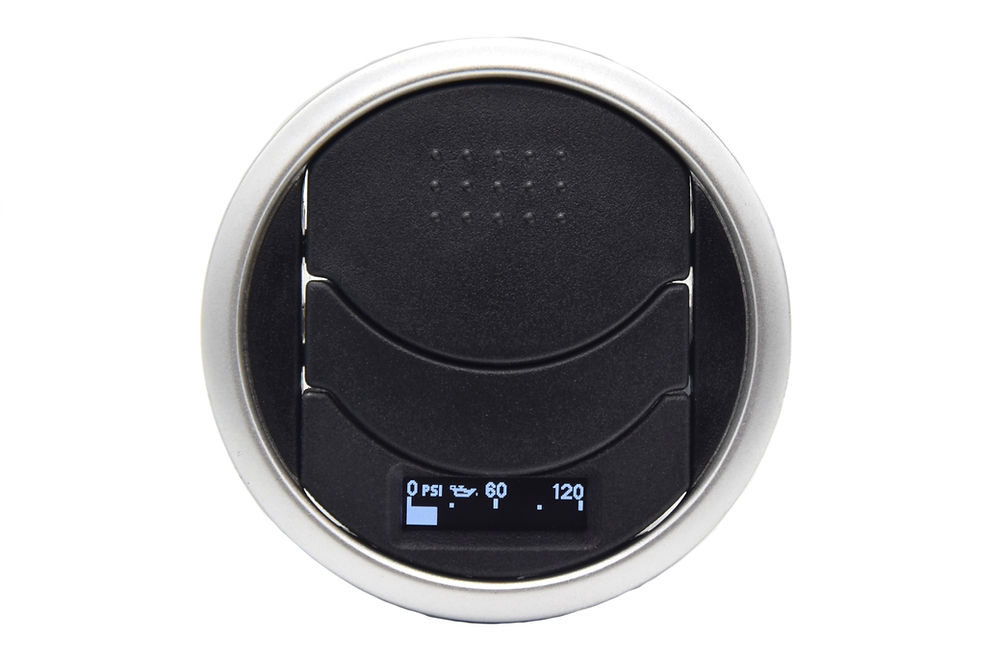
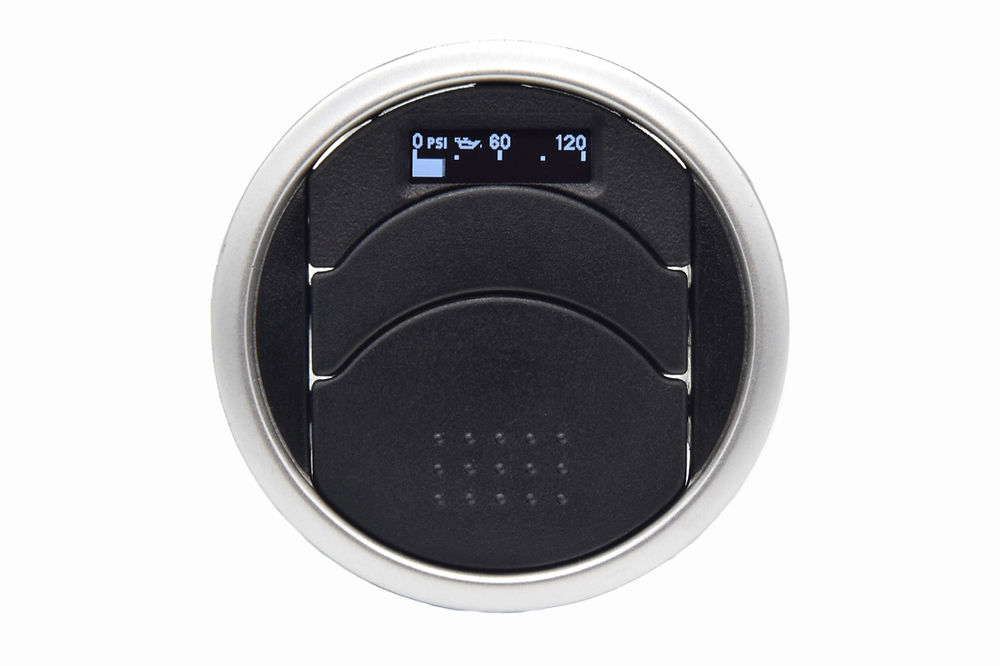
Posted this pic in another thread, rather than hijack that topic…

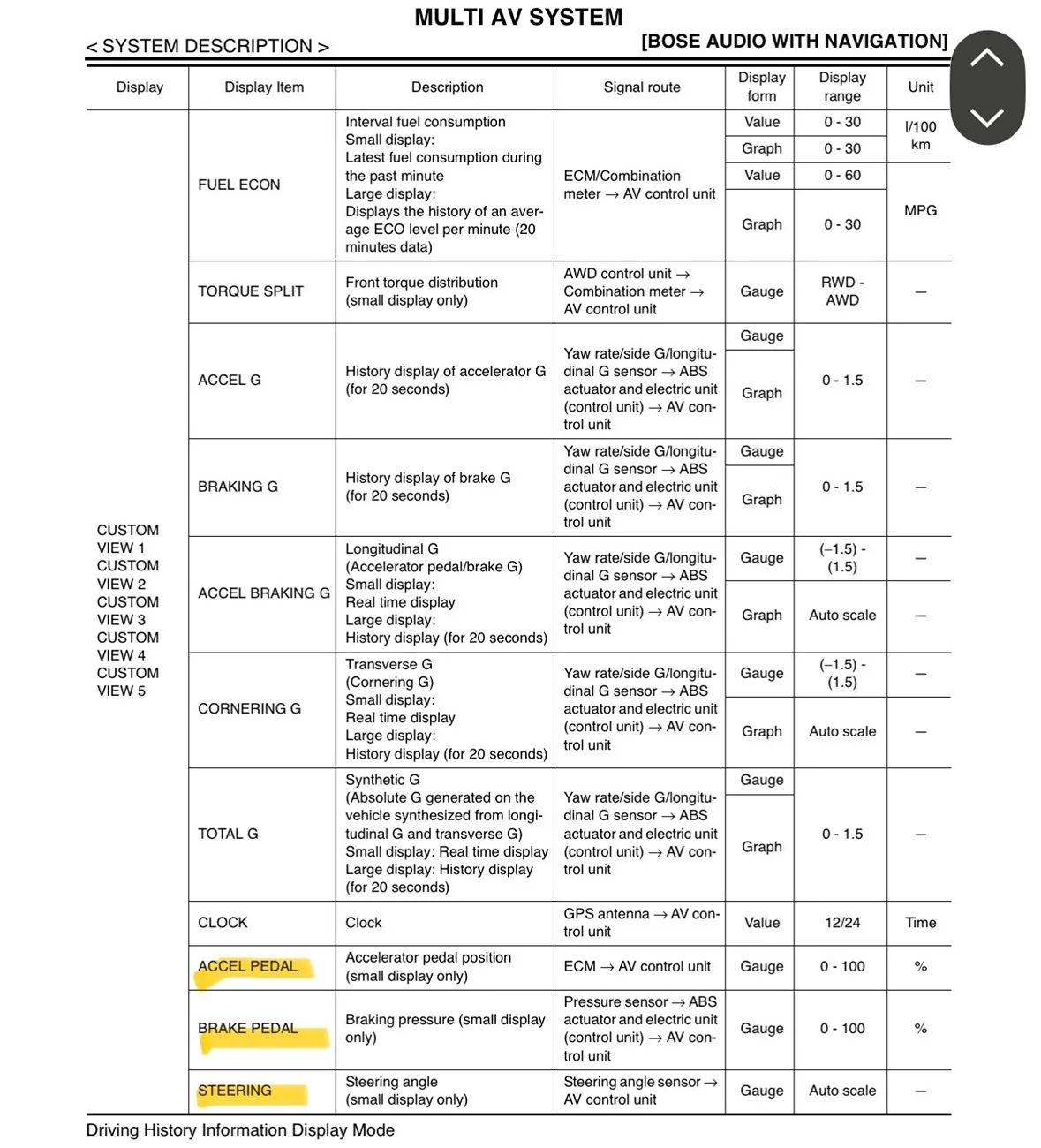
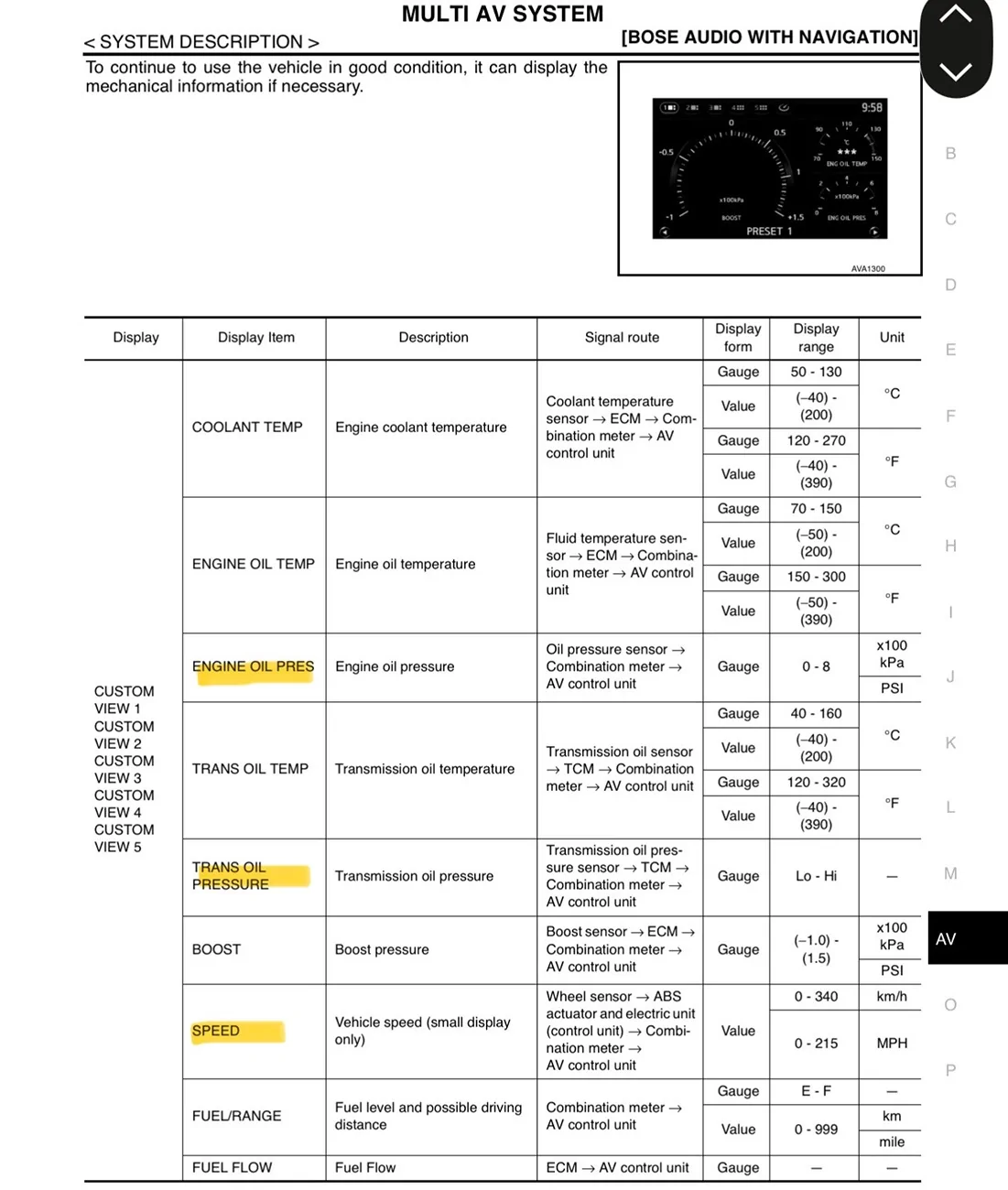
1. In this Nissan pic, Notice it’s engine Oil Pressure (psi), not Temp. I’ve only seen Temps in the Sports Display. Oil psi could prove useful. Any idea if this can be configured?
2. TPMS - Can you set the target defaults from Factory PSI to your own preferences?
3. Custom gauges another way:
I bought a cheap ($5?) WiFi ODBC dongle off Temu or AliExpress that I use on my 370Z Nismo to watch all kinds of data the ODBCII has access to. The App (Called Four Stroke) I used to display it on has disappeared from the App store. But I found another called ‘Car Scanner’ which works if set to ELM327 and WiFi. You can scan / diagnose fault codes, there’s even a Nissan Consult3 mode but even in the paid version ($8 forever) I couldn’t find any useful settings (yet). It needs a Z config mode, currently it’s set to 370Z as the car type.
So here’s the thing… Connect Apple Car Play on USB, connect Phone to Local WiFi the ODBC dongle broadcasts. Then you display the ‘Car Scanner’ App data. BAM! Here’s some pics.
My RZ34 Data shown on my Phone:

Just sensor data I randomly chose. A couple (Coolant Temp, RPM) were selected to make sure it matched the Car Dash.
Carplay on RZ34 Display:

I’m still trying to figure out how to get the gauges instead of just text in Carplay.

Pic of my Dongle (Vgate) although any ELM327 clone should work.
Might as well post a link to a decent Vgate iCar Pro 2S ODBC dongle that’s currently recommended by the app developers. It’s under $30 on Amazon. The link is for a Bluetooth one, but you can get WiFi as well.
If you go down this route, a warning that it’s a rabbit hole… but fun to have available.
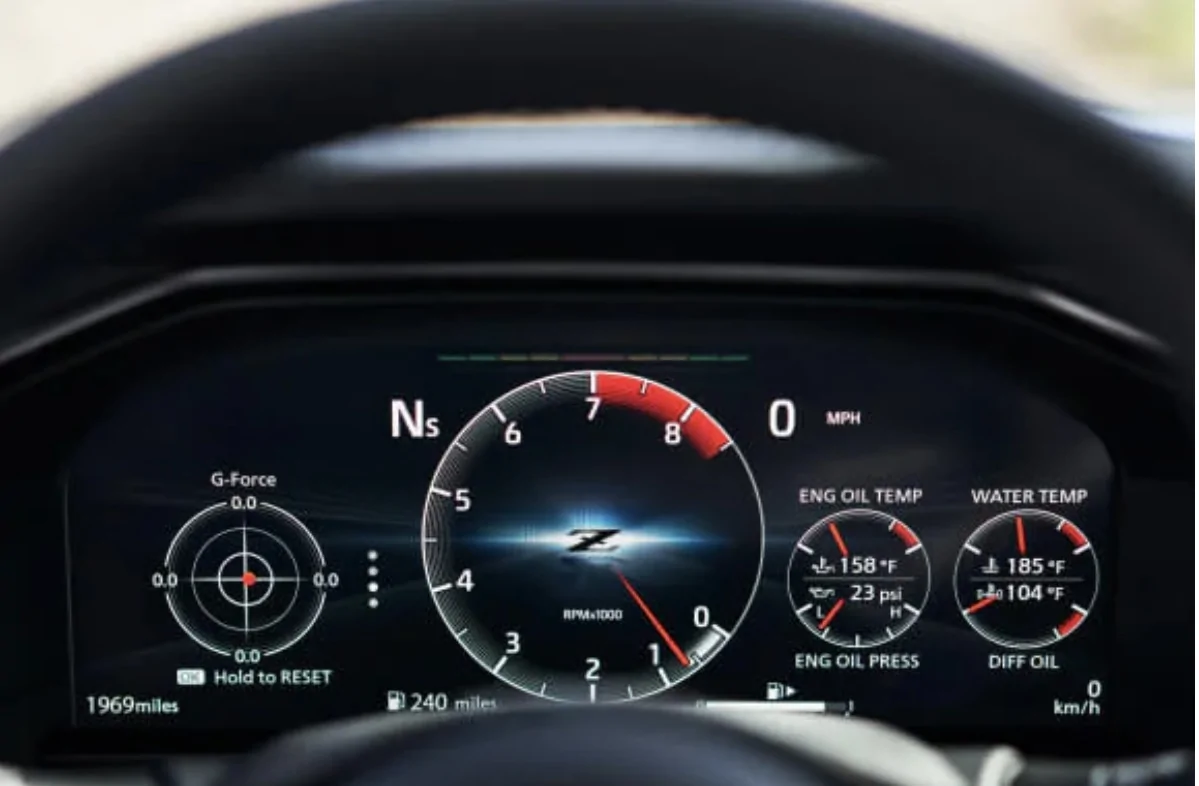
1. In this Nissan pic, Notice it’s engine Oil Pressure (psi), not Temp. I’ve only seen Temps in the Sports Display. Oil psi could prove useful. Any idea if this can be configured?
2. TPMS - Can you set the target defaults from Factory PSI to your own preferences?
3. Custom gauges another way:
I bought a cheap ($5?) WiFi ODBC dongle off Temu or AliExpress that I use on my 370Z Nismo to watch all kinds of data the ODBCII has access to. The App (Called Four Stroke) I used to display it on has disappeared from the App store. But I found another called ‘Car Scanner’ which works if set to ELM327 and WiFi. You can scan / diagnose fault codes, there’s even a Nissan Consult3 mode but even in the paid version ($8 forever) I couldn’t find any useful settings (yet). It needs a Z config mode, currently it’s set to 370Z as the car type.
So here’s the thing… Connect Apple Car Play on USB, connect Phone to Local WiFi the ODBC dongle broadcasts. Then you display the ‘Car Scanner’ App data. BAM! Here’s some pics.
My RZ34 Data shown on my Phone:
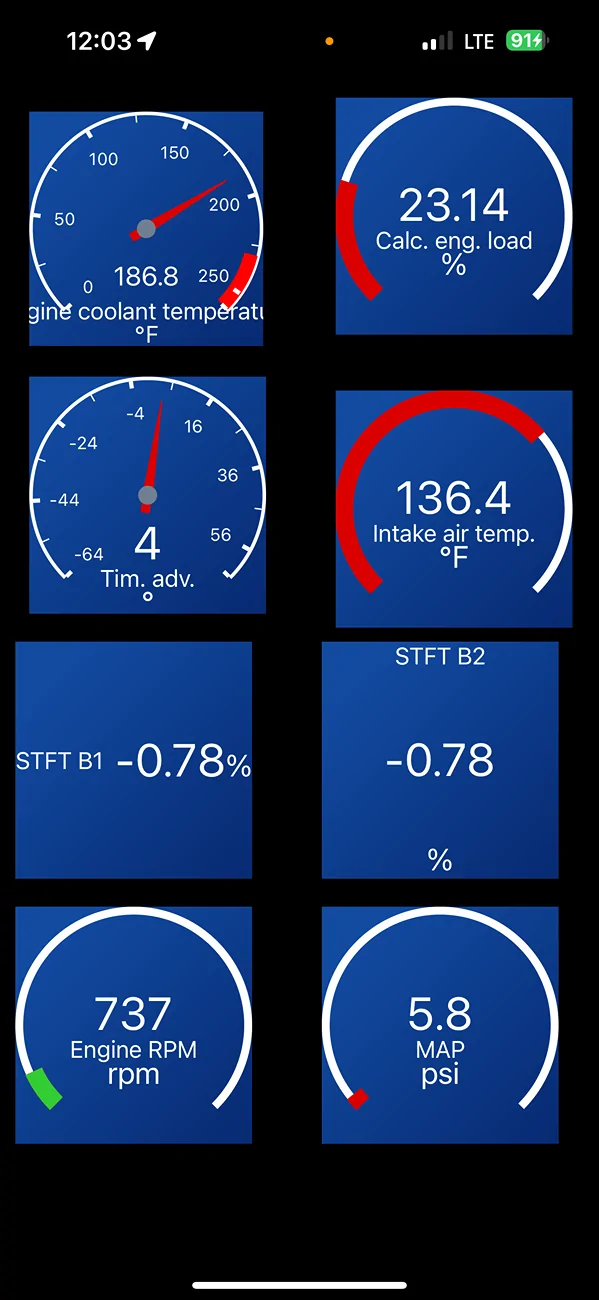
Just sensor data I randomly chose. A couple (Coolant Temp, RPM) were selected to make sure it matched the Car Dash.
Carplay on RZ34 Display:
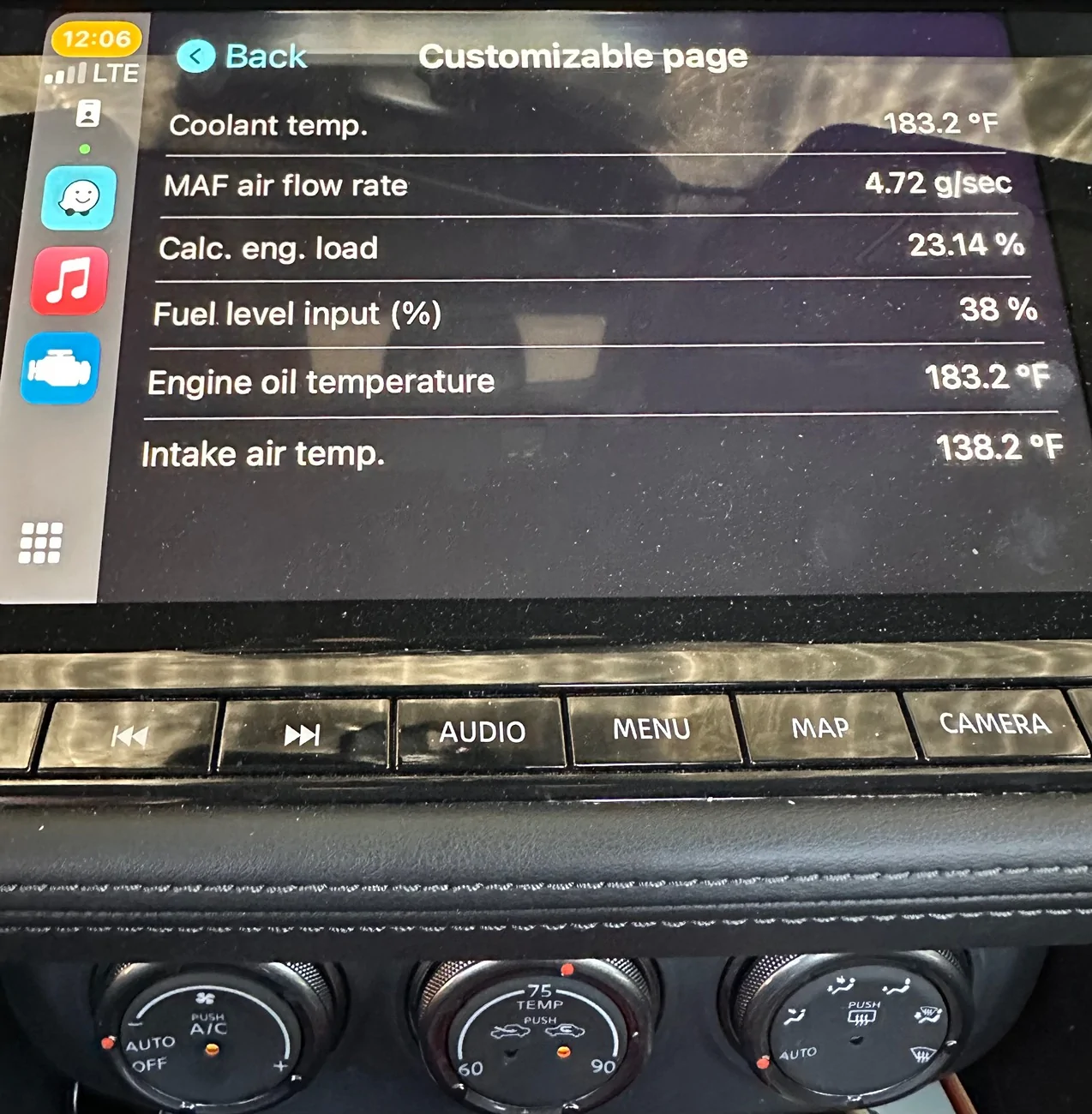
I’m still trying to figure out how to get the gauges instead of just text in Carplay.
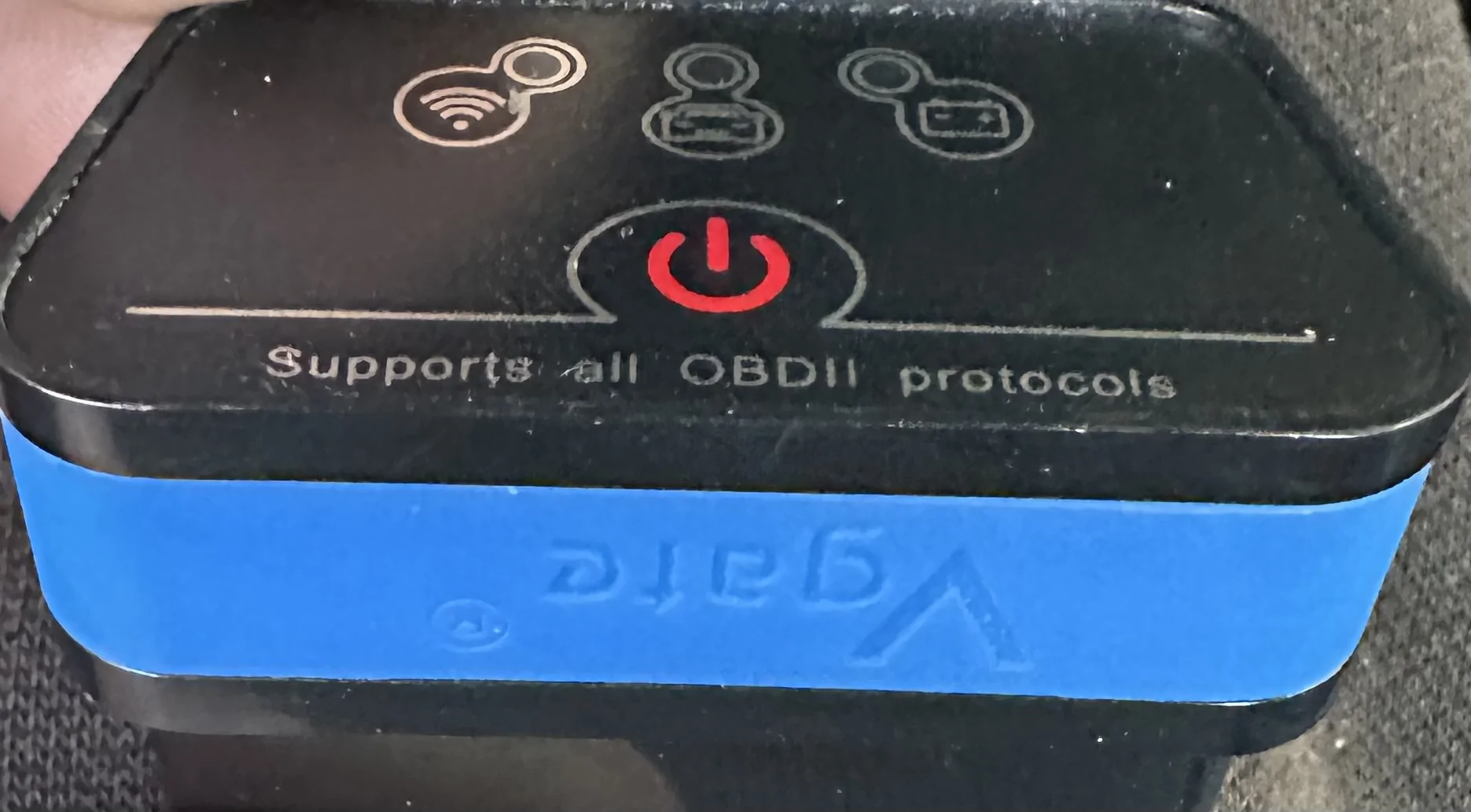
Pic of my Dongle
(Vgate) although any ELM327 clone should work.Might as well post a link to a decent Vgate iCar Pro 2S ODBC dongle that’s currently recommended by the app developers. It’s under $30 on Amazon. The link is for a Bluetooth one, but you can get WiFi as well.
If you go down this route, a warning that it’s a rabbit hole… but fun to have available.
Last edited:

 . Yet… afaik.